Banner
4 min
Banner
Component for rendering an image with optional text block with title, subtitle and/or small pre-title (kicker) on the top, as well as optional action button. Allows HTML and dynamic properties in texts.
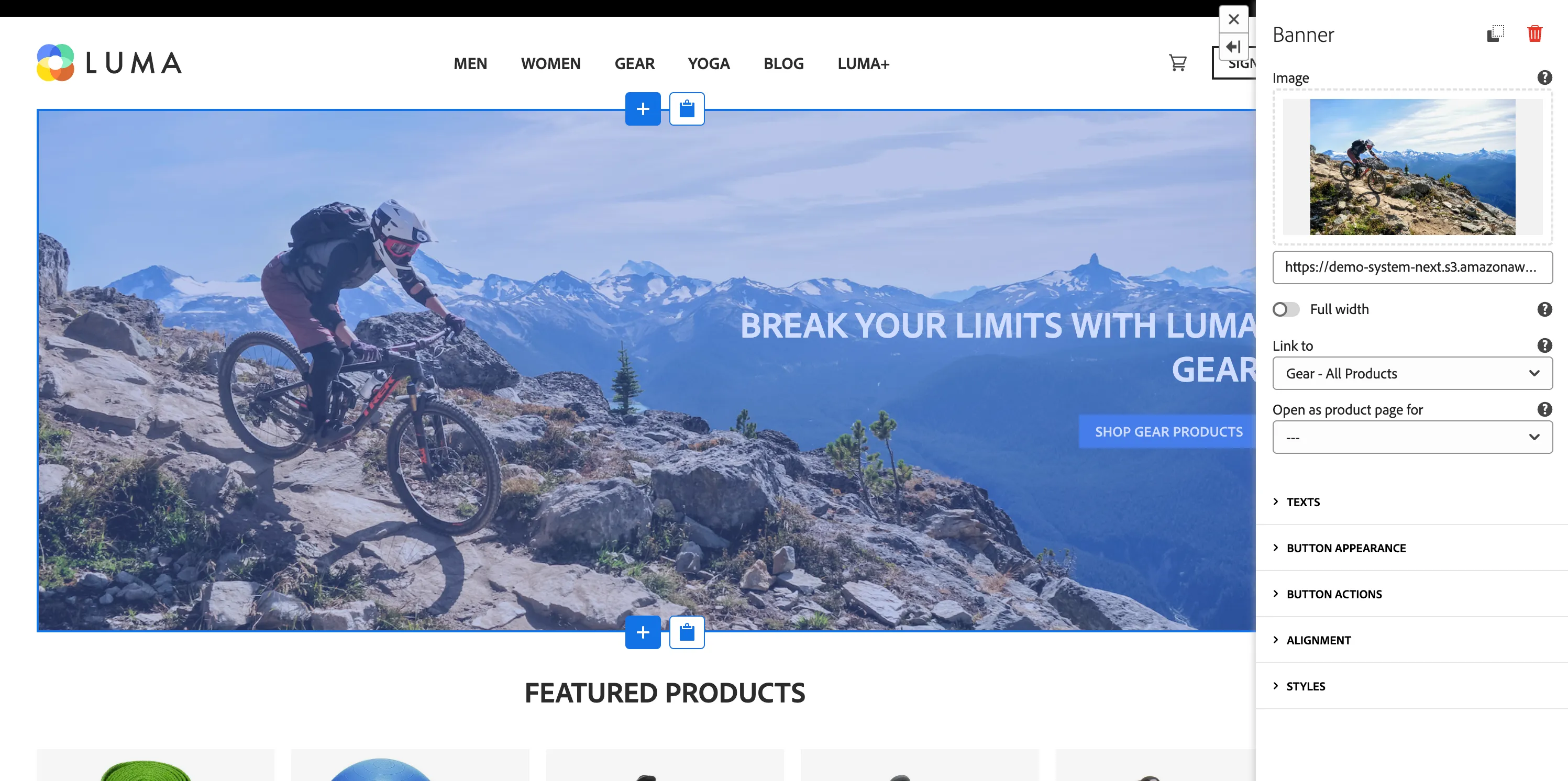
Properties
General:
- Image - background image
- isFullWidth - if the component is on the top-level, selecting this will extend the image horizontally beyond the page column limit.
- Link to - link to a page to open on banner click
- Open as product page (optional) - if you select Product template page in a Link to, select which product should be displayed on the product site.
Texts:
- Title - content for main title
- Subtitle - content for subtitle
- Pre-title - content for small kicker (pre-title) above the title
Button appearance
- Label - text to be displayed on the button
- Variant - visual variant
Button Actions
- Link to- screen to navigate to on click
- Open as product page for (optional) - if you select Product template page in a Link to, select which product should be displayed on the product site.
- Event Type - name (type) of event to generate on click. Used to trigger Data Collection Tag Property Rules. Leave empty for no event.
- Webhook URL - URL to which a request should be sent on click. Leave empty for no request.
- Form Id - If Webhook URL is provided, setting Form Id will modify request payload to only include fields with matching Form Id. Otherwise everything is sent.
- Custom Data - additional properties to add to dataLayer/request payload on click.
- Toast Variant - type of toast that will be displayed on button click
- Toast message - message that will be displayed in toast after button click
Alignment
- Alignment - horizontal alignment of whole component
- Vertical alignment - vertical aligment of the component
Additional Styles section