Build a Brand Concierge Knowledge Source from a Customer Website
3 min
When setting up a new Brand Concierge demo, you may need to quickly generate a CSV of website URLs to use as a Knowledge Source. Use the steps below to capture all relevant links from your customer site and export them in the required format.
Leverage the customer sitemap
- Navigate to https://google.com
- Enter your search as site:<customer-site> robot.txt
- Identity the section # Sitemap
- Copy the sitemap link and add it to Brand Concierge Website links
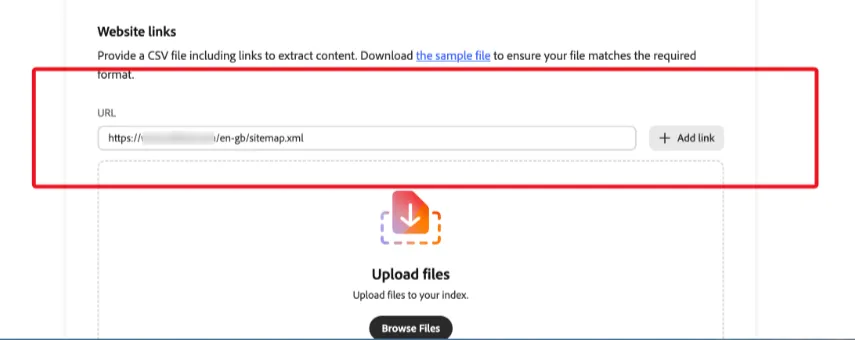
Generate links for a specific customer site page
- Navigate to your customer site page URL
- Open DevTools (or right click > Inspect)
- In the Console tab, copy and paste the following JS Snippet:
const projectPath = window.location.pathname.split('/').slice(0, 3).join('/');
const links = Array.from(document.querySelectorAll('a'))
  .map(a => a.href)
  .filter(href => href.includes(projectPath) && !href.includes('_edit'));
console.log([...new Set(links)].join('\n'));- Copy the output to your new local CSV file