Carvelo - Basic
GOAL
This will help you create a custom automotive project for your demo. You can create new auto web and mobile projects, a dedicated auto data structure in the Adobe Experience Platform, data collection properties, and call center projects in your selected environment.
INSTRUCTIONS
Go to Quick Setup in Demo System Next, select the environment and select preset "Carvelo - Basic"


Under the hood, this preset will install the following:
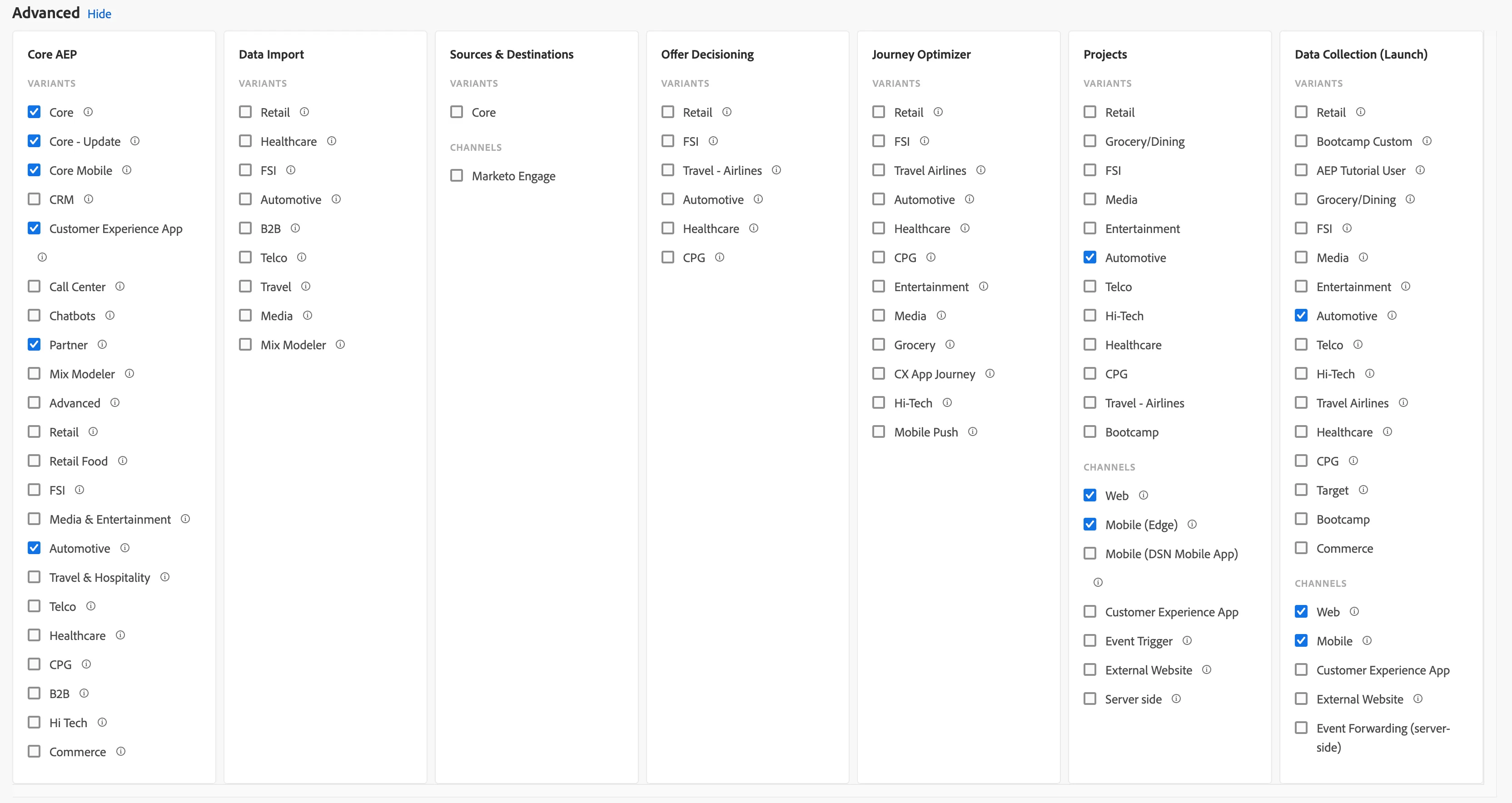
Core AEP
Variants:
- Core: Core classes, data types, field groups, and 2 schemas and datasets: website experience events and profiles
- Core - Update: New field groups and userId identity to be used with Call Center Schemas
- Core Mobile: Schemas and datasets related to mobile app: experience events and profiles
- Customer Experience App: Additional schemas for Customer Experience App profiles and experience events
- Partner: Additional schemas for partner data
- Automotive: Data types and field groups related to promotions, coupons, orders, etc.
Projects
Automotive -> Web: It will create an Auto website
Automotive -> Mobile: It will create a DX Demo mobile app for the Auto variant
Data Collection (Launch)
Automotive -> Web: It will create an Auto website data collection property, including rules and data elements for the Carvelo project type. Web property that sends experience events using Experience Edge SDK.
Automotive -> Mobile: It will create a DX Demo mobile app for the auto variant, including rules and data elements for the Carvelo project type.