Create a new Customer Experience App project
1 min
The Quick Setup is the starting point to create a new Customer Experience App project.
On the Quick Setup page, follow the steps below:
- Select your Environment (sandbox) in the General section.
- Scroll down to the Advanced section then click on "Show" to display the configuration options.
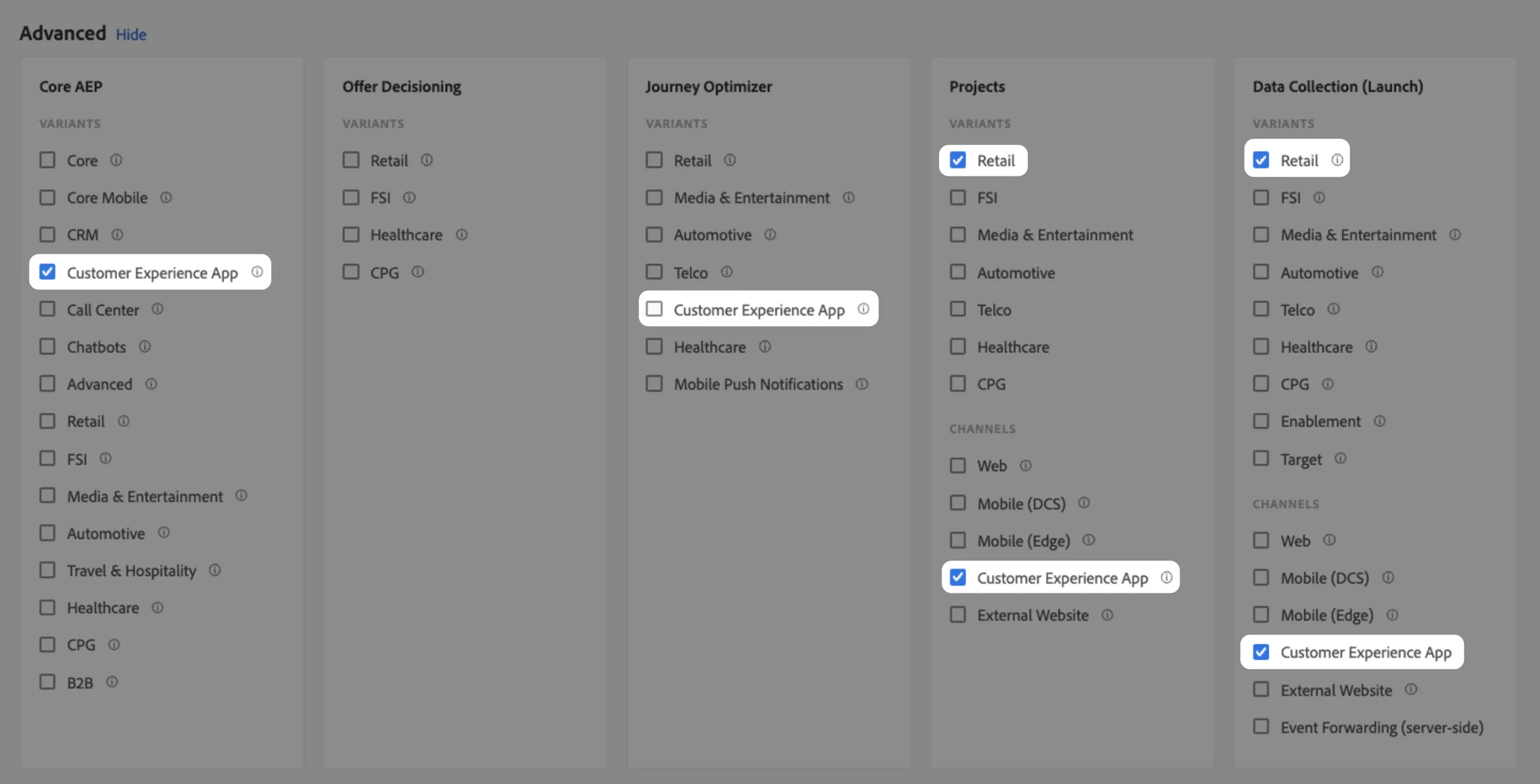
- Check the following boxes to install the required schema, dataset, and journey (Optional) in your sandbox. It will also create a new Launch tag (property) and a CX App project:
4. Scroll up and click on "Start" to specify your project and Data collection property name.
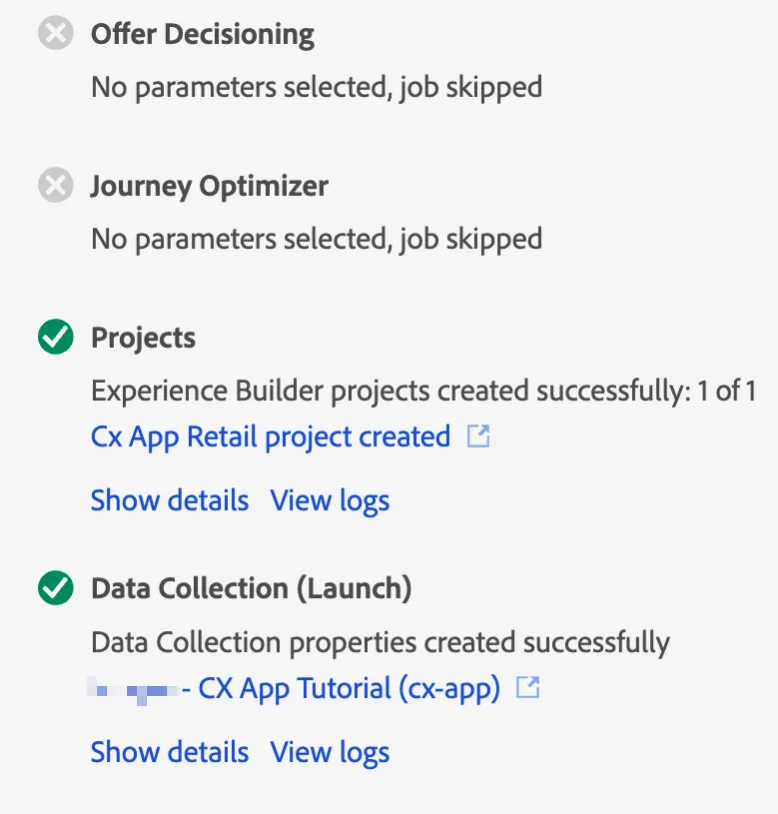
5. Once the installation/creation processes are complete, you will get a recap of created items:
6. You should now be able to view your new CX App project in the Experience Builder.
You're ready to customize your project.
Note: This configuration is automatically pre-selected for the presets Retail - Advanced and Retail - Advanced (External Website).
.