Customer Journey Analytics B2B Edition
Authors: Sangeeta Chaudhary, Kristin Ward, Matt Coers, Karan Kumar
Introduction
A complete marketing strategy for a B2B company is a complex melding of account and person-based marketing. Learn how CJA can help B2B organizations gain a greater understanding of their customers, content, marketing and more to acquire more leads, close more deals, and reduce ad spend.
This demo includes a live demo dataset available to be added to CJA B2B Edition enabled companies and a pre-configured CJA B2B Edition - Use Case Demo dashboard available in the Adobe Demo System Shared organization (available to Adobe employees only). An inline talk track is included within the dashboard in the form of text visualizations with
Use Case Demo Dashboard
The demo dashboard consists of panels covering the following use cases.
- Title-Based Analysis - person level: This panel shows how an organization can analyze the impact of marketing efforts and sales engagements on specific titles within an organization.
- Account-level reporting: Answers questions like "how are our accounts performing?", "which accounts are purchasing the most", and "among which industries do we see the greatest deal velocity and account growth".
- Account Detail Analysis: This panel dives into more detailed analysis of accounts, including the buying groups within them, the number of opportunities per account, the amount of revenue generated, and the performance of subsidiary accounts. It also starts to answer questions about cross-sell and up-sell and shows the journey canvas and flow visualizations.
- Buying Group-Level Analysis: Learn how buying committees behave and how marketing and sales efforts addressed to certain roles within the group impact the behavior of the group overall.
- Opportunity-Level Analysis: In this panel, learn about the progression of opportunities within the sales cycle. Understand how many opportunities the organization has at which stage, and which marketing channels and message types are most effective at particular sales stages and with particular titles.
Presenter's Guide
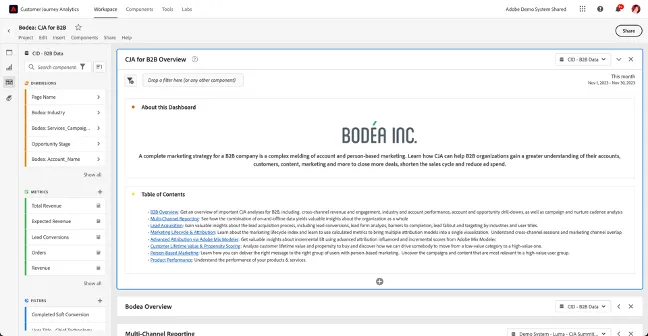
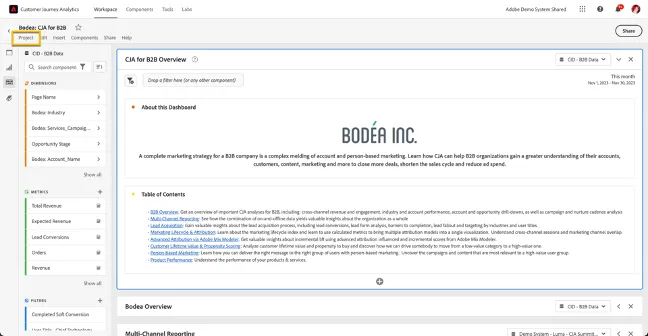
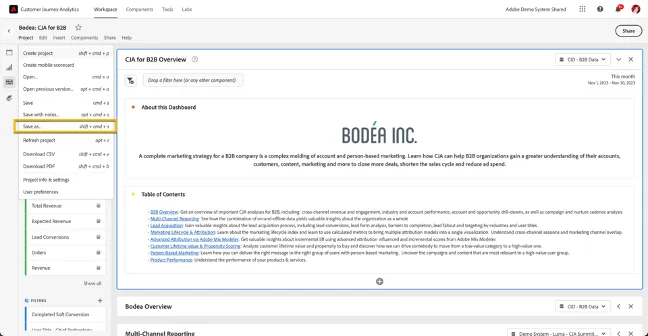
Before starting your demo, open the Bodea: CJA for B2B dashboard in Adobe Demo System Shared in your browser. Then go to Project > Save As and give it a new name so that you have your own copy. This will allow you to execute use cases that require light, on-the-fly editing of the dashboard.
Please do not make changes to the CJA B2B Edition Demo Data view - edit your own copy as described above.
Please do look through the dimensions and metrics that are available by clicking "Show All" in the Components column under each category. There are a lot of opportunities for segmentation and story enhancements there.
Demo Setup – Copying a Dashboard for Personal Use
If you don't have access to to Adobe Demo System Shared, send a message on the #demo-system-next Slack channel or use the form on the Demo System Next help tab.
Open the Bodea: CJA for B2B workspace.
Create a copy of the dashboard. Click "Projects"
Click Save as…
Give the project a Name.
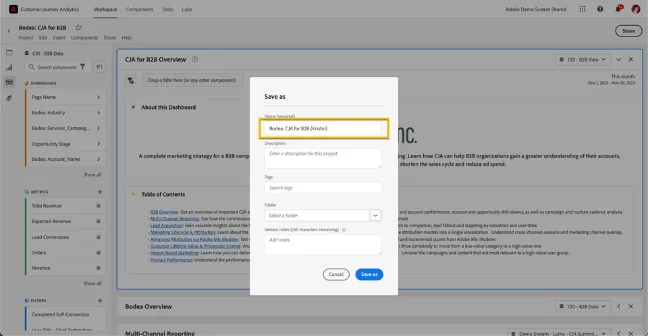
Click "Save as"
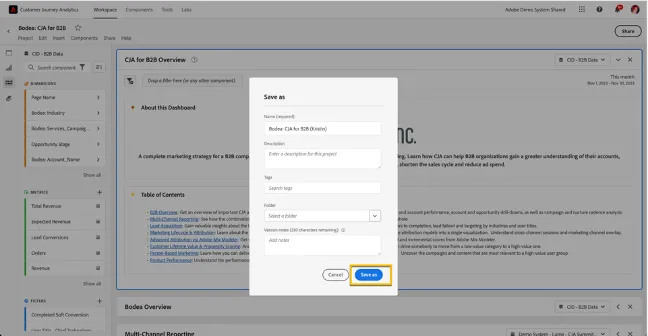
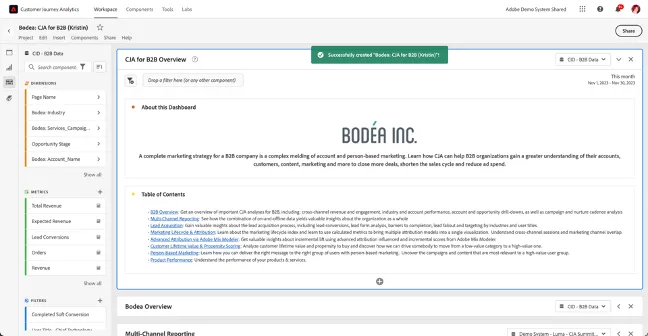
Now you can make edits to the dashboard, such as adding filters or changing metrics and attribution models.
End of Setup
Demo Talk Track – B2B Analysis & KPIs