Customer Scores
The Customer Scores module displays customer scores in radial graphs. Score can be configured as dynamic values from the Real Time Customer Profile or as constants.
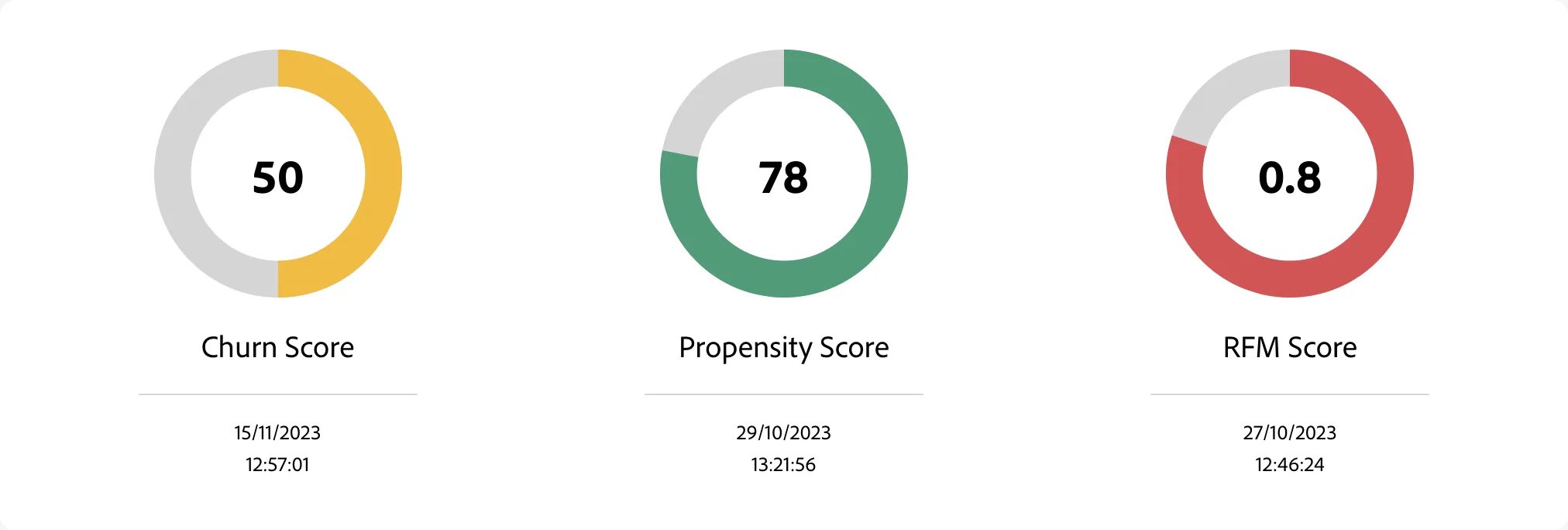
Using dynamic values as Customer Scores
This module allows either using constants as the score to be displayed (by entering a fixed number, e.g. 78 as a Score Value or "Any string description" as a Score Description in the scores editor) or dynamic paths to where the score/description are stored in the Profile / Experience Events information.
If you want to use dynamic values you can either use a selector string directly, e.g. entity.$tenantId.scoring.churn.churnPrediction as a field of Score Value, or to append dynamic values with constant text, e.g. Date of occurrence: ${entity.$tenantId.scoring.date}
The selectors above will attempt to gather information from the currently browsed profile. If you want to gather information from experience event, prefix the above selectors with ee. That will result in looking for matches for the selector within the events and returning data of the newest of the found events. (example: ee.entity$tenantId.scoring...
Module configuration
General settings
Property | Description | Default |
|---|---|---|
Hide title | Indicates whether the module title above the module content should be hidden or not | false |
Title | The name of the module, displayed above the module content | Customer Scoring |
Description | The description of the module, displayed as a tooltip after clicking on the info icon next to the module's title | Displays scores attached to the customer. |
Scores
Property | Description |
|---|---|
Score Name | The title of the score, displayed under the score in the interface |
Score Value | The score value, can either be a constant or a dynamic value from the profile or experience events data. |
Max score | Defines the max value of the score, used for calculating how much proportionally to the max score, the score is. Default is 100. E.g. if your scores are from range 0.0 - 1.0 and not 0 - 100, it makes sense to set max score to 1 |
Score description | The description of the score, displayed under the score name in the interface. Can either be a constant or a dynamic value from the profile or experience events data. |
High score color | You can choose whether high scores should be marked with green color or red. |