Minor Account Upgrade Journey
[WORK IN PROGRESS]
Business Objective
Ensure regulatory compliance and account eligibility for minor account holders turning 13 by prompting parents to upgrade the account in a timely and seamless manner. Increase completion rates for the upgrade process through proactive notifications, personalized on-site messaging, and timely reminders — reducing operational risk and enhancing customer experience.
Business Value / Gain for SecurFinancial
- Regulatory Compliance:
- Ensures all minor accounts are upgraded before the child turns 13, meeting legal requirements for account co-ownership.
- Increased Engagement & Retention:
- Keeps parents actively using SecurFinancial’s digital channels (push, email, online banking) through timely, personalized communications.
- Upsell & Cross-sell Opportunities:
- Provides a strategic touchpoint to introduce relevant financial products for teens, such as savings accounts, prepaid debit cards, or financial education resources.
- Improved Operational Efficiency:
- Automates a critical account management process, reducing the need for manual follow-ups and customer service intervention.
- Strengthened Brand Positioning as a Family-Friendly Financial Partner:
- Reinforces SecurFinancial’s commitment to supporting families through important financial milestones with care and ease.
Prerequisites:
Log in to the website and mobile app with the same profile. Wait few minutes until both profiles are merged.
Persona
Name: Sarah Mitchell Profile:
- Age: 38
- Parent of a 12-year-old son, Ethan, who has a linked minor account at SecurFinancial
- Frequently uses the mobile app and online banking
- Values convenience, security, and seamless digital experiences
- Occasionally gets distracted while managing tasks online
Steps
Step 1: When the system detects that a minor account holder is approaching their 13th birthday (one month prior), the parent (Sarah) receives a push notification informing them that their child’s account requires an upgrade. The message includes a clear call to action, prompting Sarah to start the upgrade process.
To simulate that the customer child's account needs to be upgraded we will update a profile attribute. To do that, go to SecurFinancial Customer Experience App, find your profile and update the kids age to be 12 or 13, you can also update the kid's gender to demo different banner based on this feature.
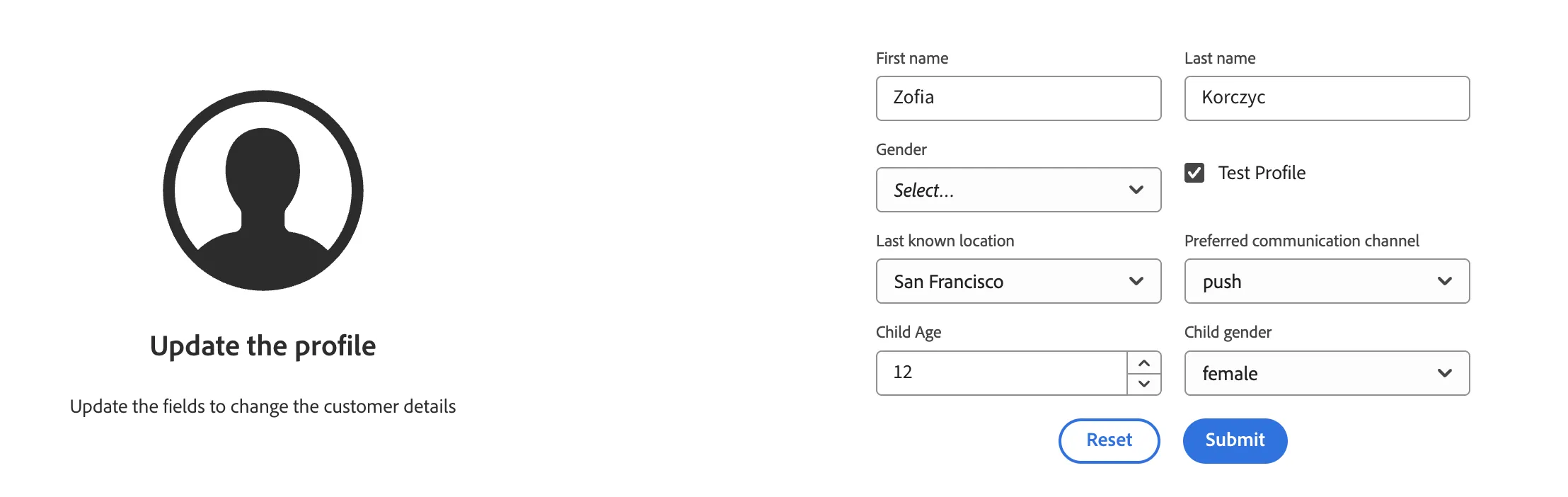
This action will result in an Audience Qualification: "Eligible for Child's account upgrade" which will trigger a journey. You should recieve a push notification on your phone.
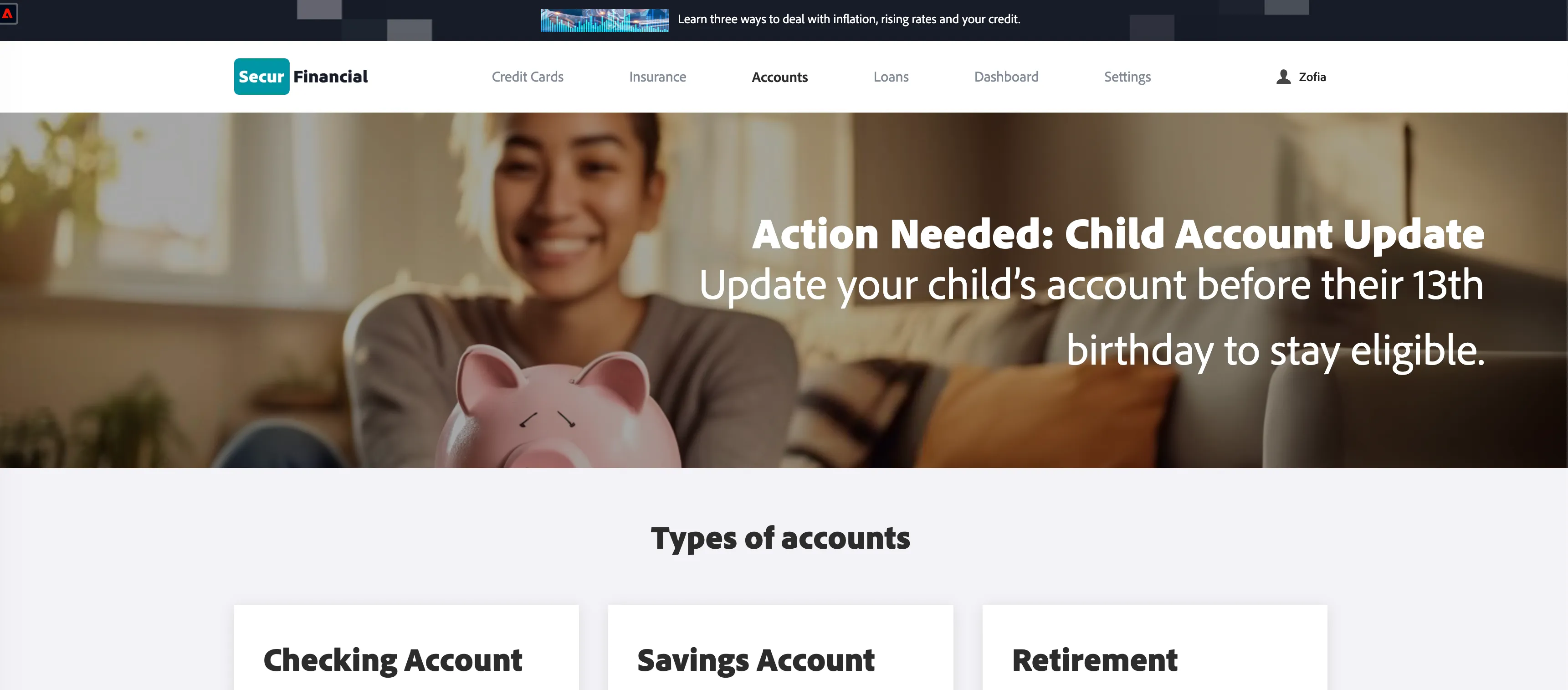
Step 2: If Sarah logs into the SecurFinancial online banking platform or mobile app, she sees a personalized, gender-based banner ad reminding her to upgrade her child’s account. The banner’s image and message differ depending on whether the child is a boy or a girl. In simulation or demo environments, the banner can toggle between a boy’s and girl’s version to showcase both options
.
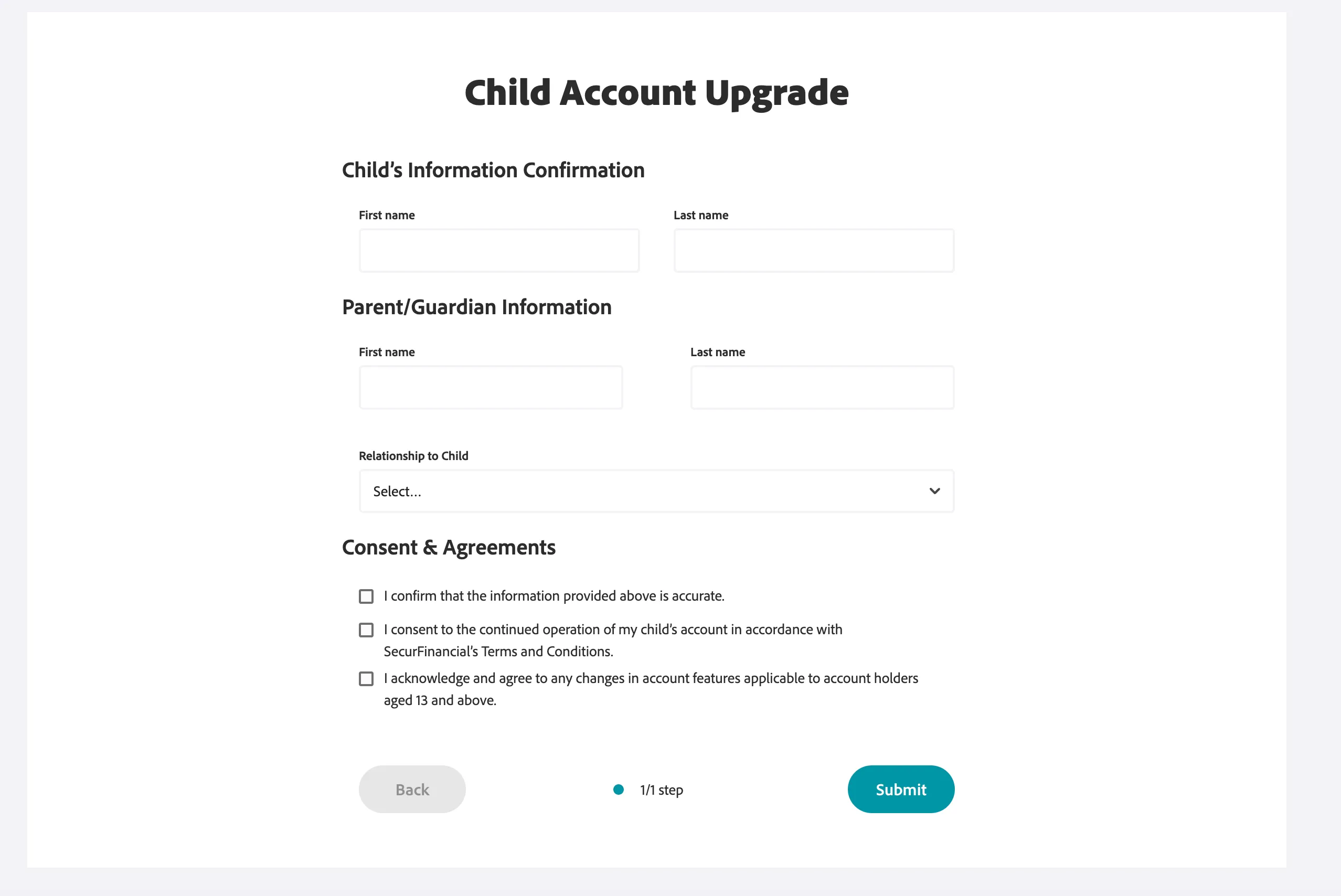
Step 3: When Sarah clicks the banner, she is redirected to the account upgrade form. Here, she begins providing the required information to transition the account for her child, now turning 13.
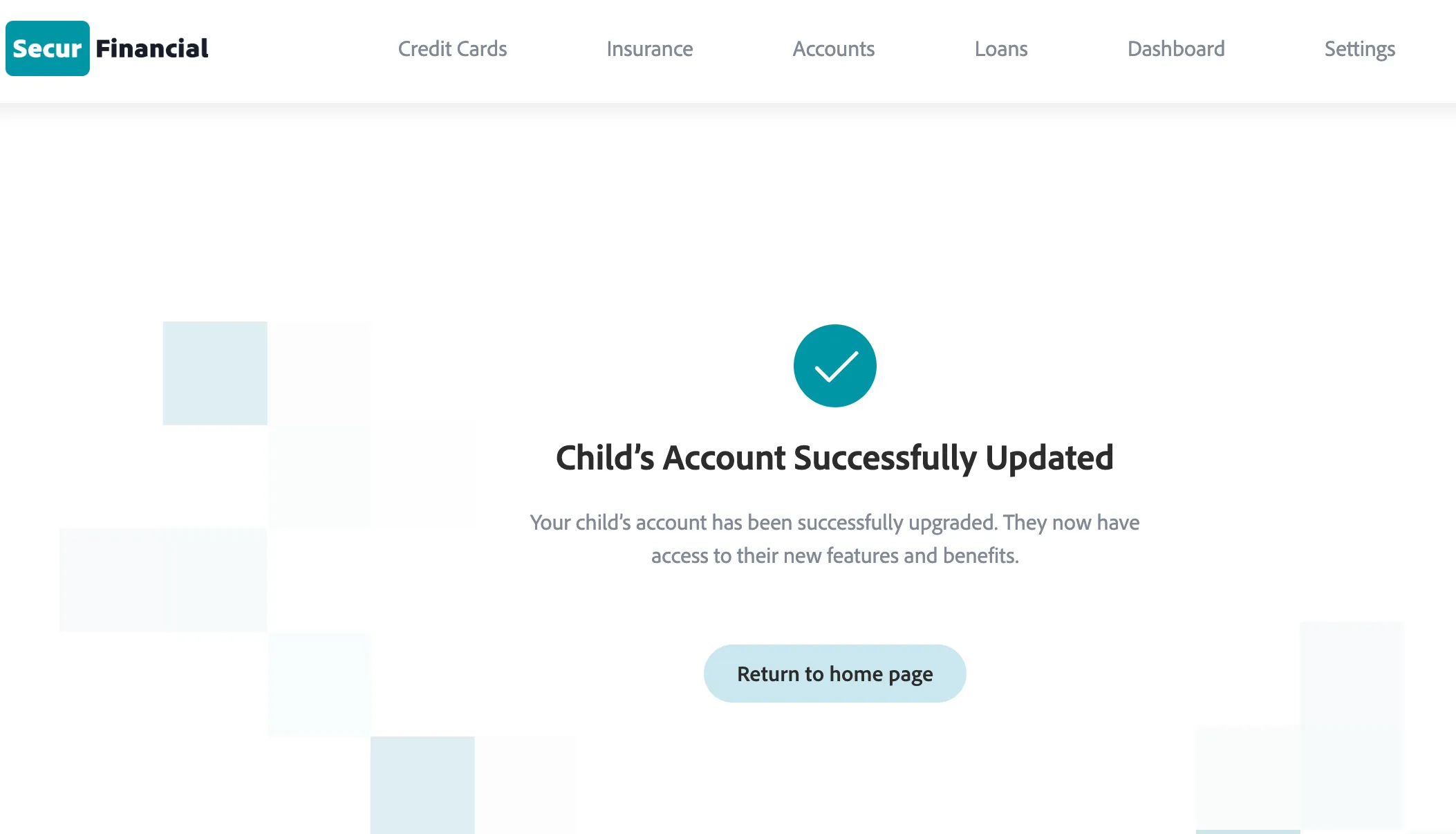
Step 4: Once Sarah completes and submits the form, she receives a confirmation via both push notification and email. The message thanks her for upgrading the account and confirms that the update has been processed successfully.
Summary
This journey ensures legal compliance while creating a smooth, family-friendly customer experience that deepens engagement, strengthens trust, and opens up new product introduction opportunities at a meaningful life moment.