Mobile Experience Targeting
Adobe Target helps test, personalize, and optimize mobile app experiences based on user behavior and mobile context. You can deliver interactions that engage and convert through iterative testing as well as rules-based and AI-powered personalization.
The Adobe Experience Platform Mobile SDK is the recommended solution to power Adobe Experience Cloud solutions and services in your mobile apps.
Prerequisites
- A mobile project created connected to your IMS ORG - check the integrations tab to make sure the app will send data to the proper instance. If you dont have a project, create a new mobile project e.g. https://dsndocs.adobe.com/docs/retail-demo-environment
- A mobile property created in Data Collection
- Edit access to Target
- DX Demo app installed and connected to your project.
Steps:
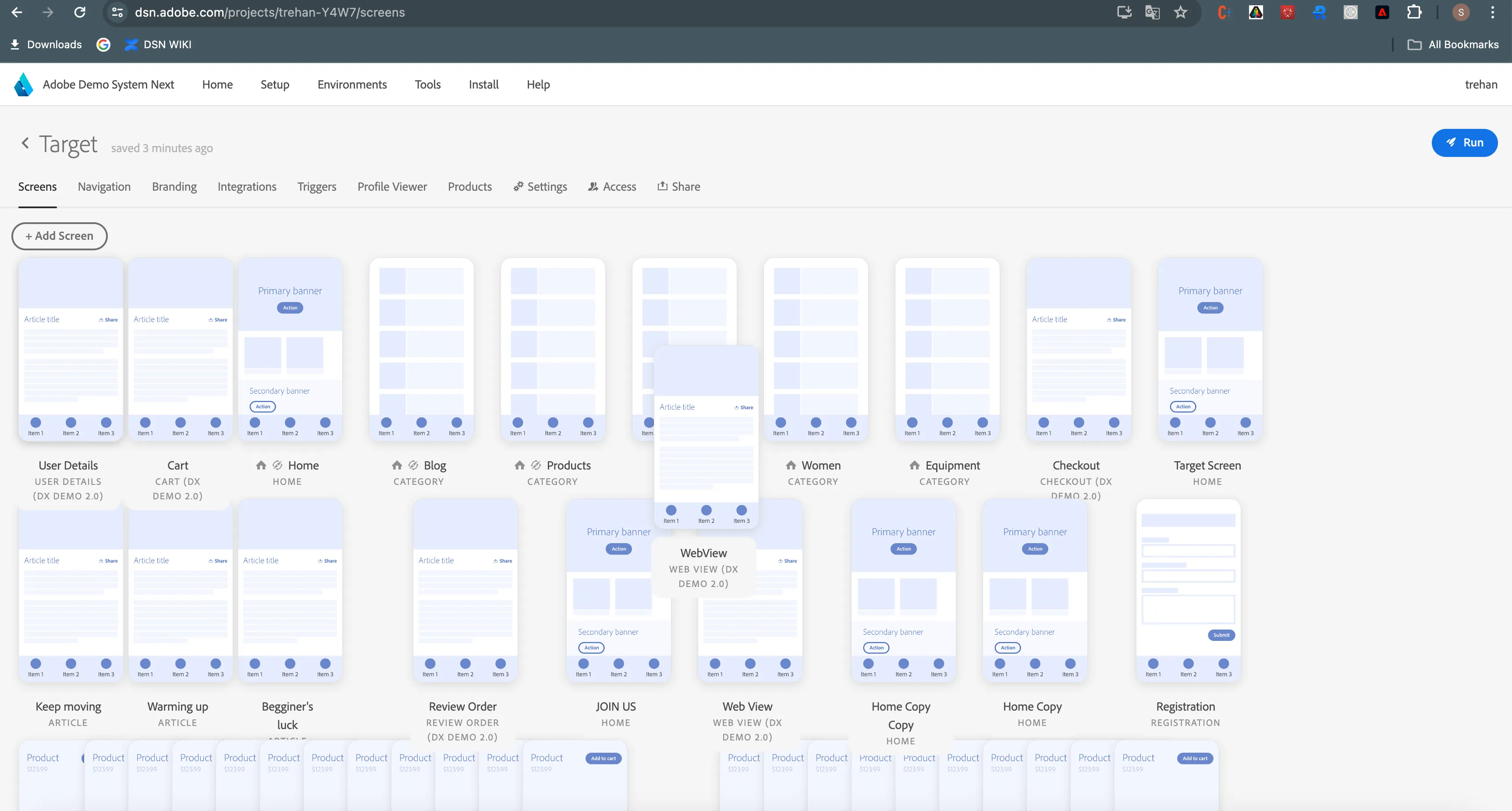
2. Select the screen that you want to use personalize (each screen can be personalized separetly using different mbox name).
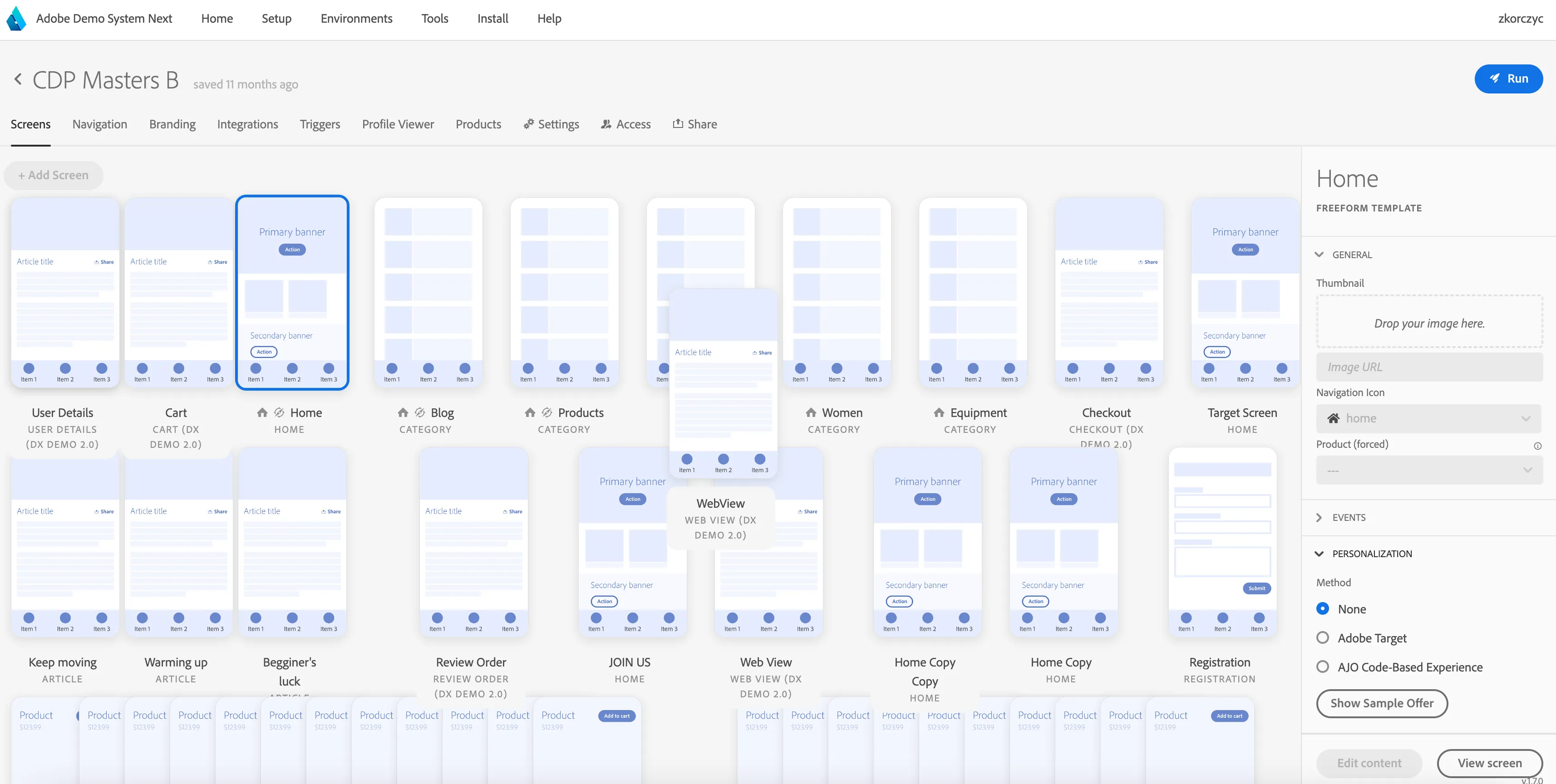
For the purpose of this example we will personalie the Home screen. Select it in the UI so that the screen details would be visible on the right.
Expand Personalization section on the right.
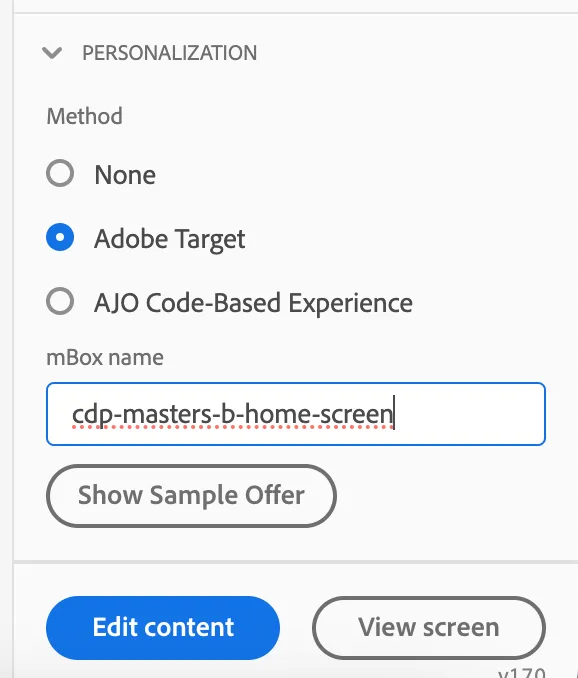
3 Select Adobe Target
Provide the mbox name, make it unique e.g. your project name + screen name
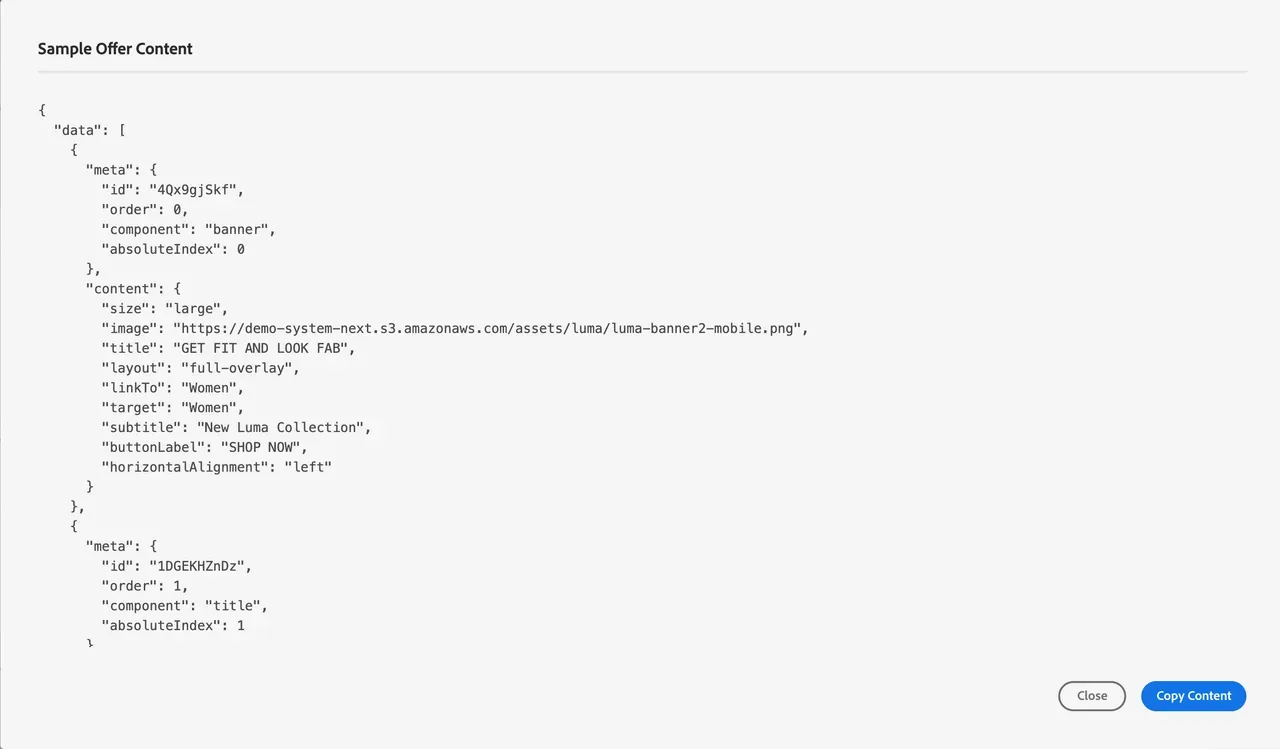
Clicking on "Sample offer content" will display a sample you can use in your Personalization Activity. You can change the content manually by updating the fields and json structure.
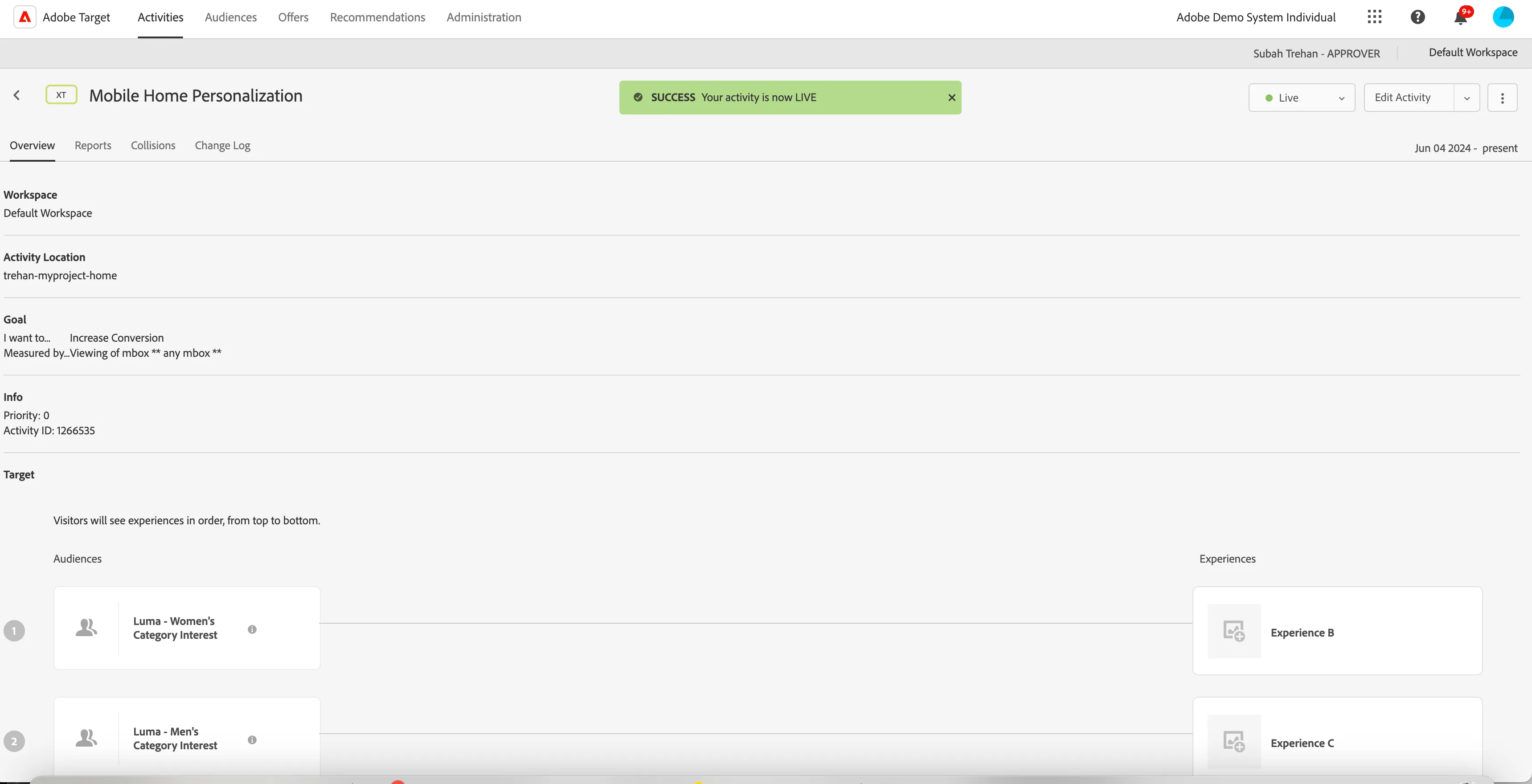
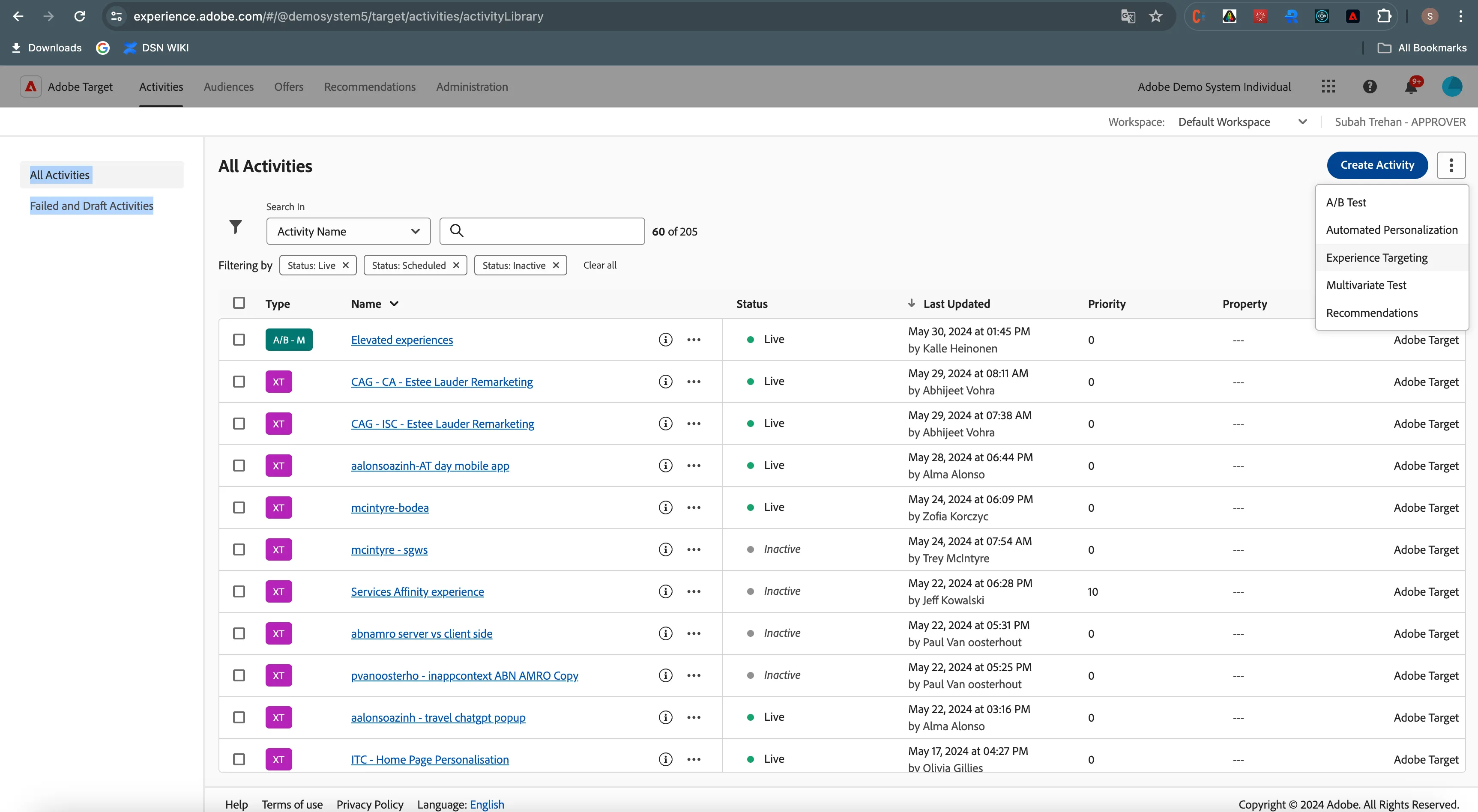
Prepare your Experience Targeting Activity in Target.
Choose a location (one or more) - depending on how many mboxes you have set up in your mobile project. Your mbox name won't be probably available in the UI at this moment, type the same name manually that you used in step 2.
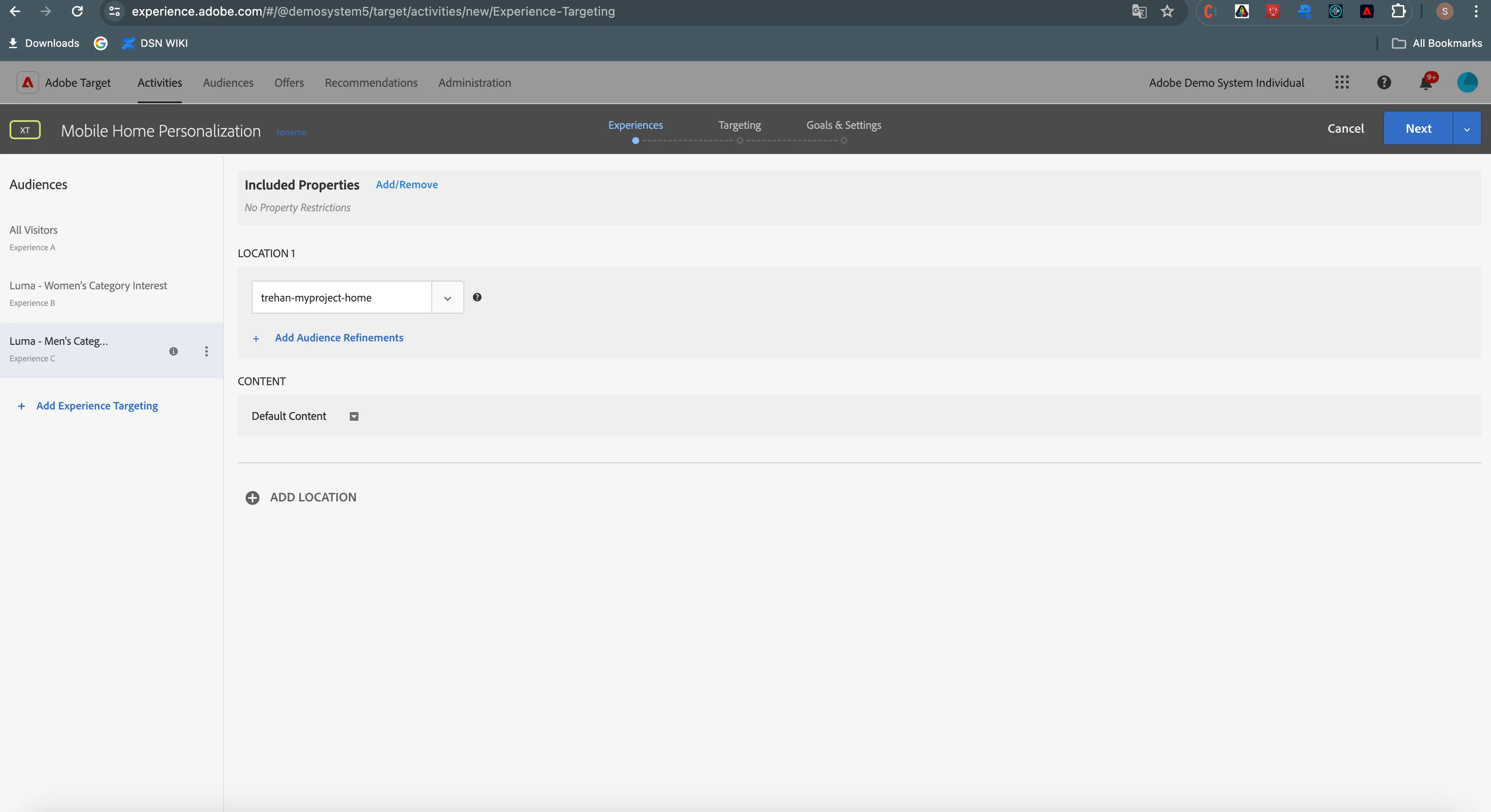
5. Add more Audiences and appropriate experiences. Create json offers for them with proper content updates.
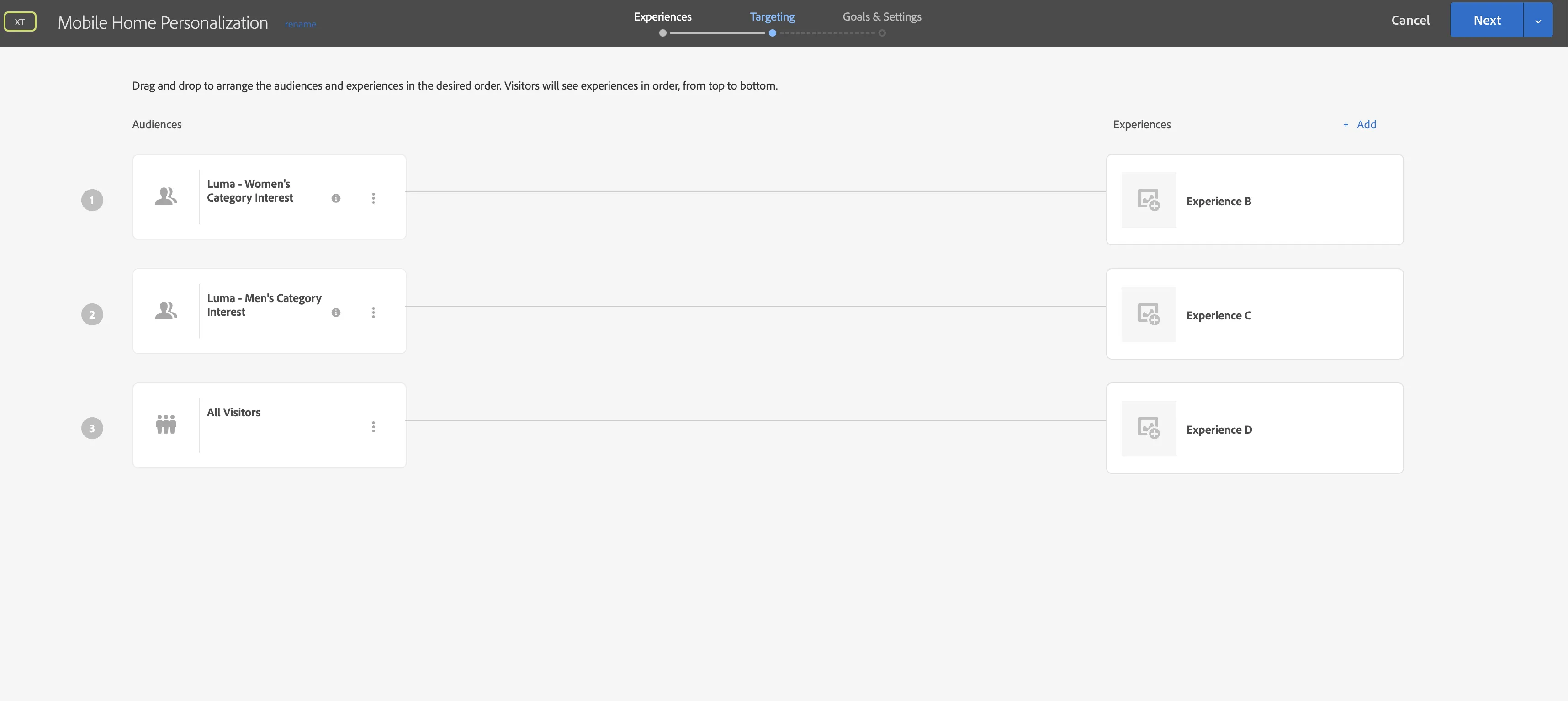
6. Publish the activity to make it live.