Settings & Sharing
Settings
In order to share with others, you must be the owner of the project.
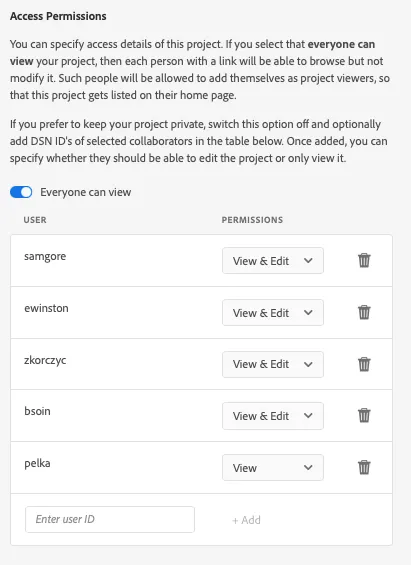
Under the "Access" tab, you should be able to change view & edit permissions to allow others to access the project under the "Access Permissions" title.
Use someone's ldap to give them permission. Feel free to give them view & edit permissions if applicable. They will see the project when they open dsn.adobe.com
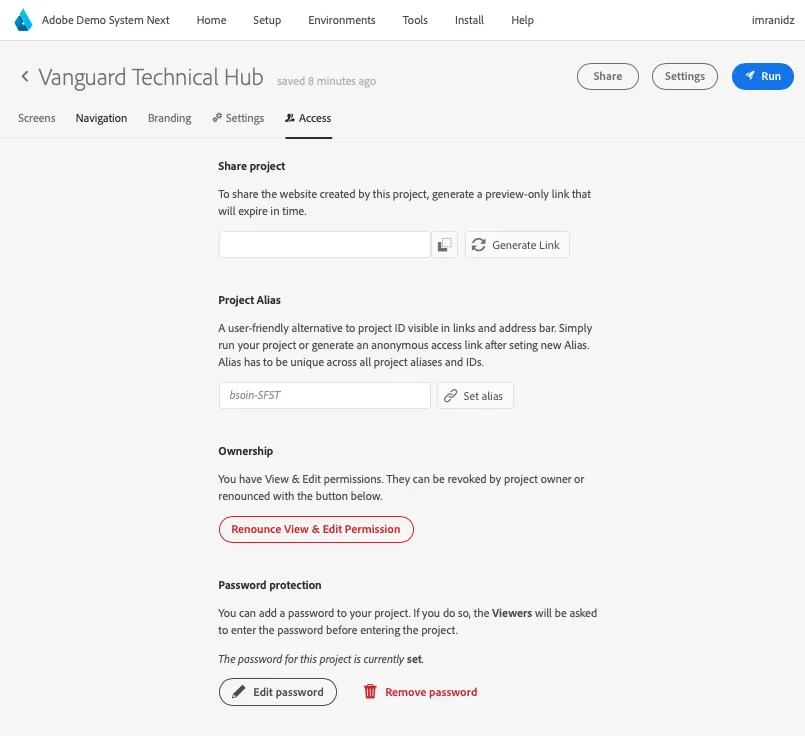
A password can be set to limit who can view the project. Instead of your custom website, visitors will see a propt to provide password. This step is skipped if viewer has edit permissions.
Password should not be considered a security measure. Use access permission system if security or confidentiality is important.
Look for the "Access" tab under the project
Project can be shared with a pre-authenticated link. This means, that anyone following such a link will be automatically authenticated as a special anonymous user without having to sign in to IMS/DSN.
This is useful mainly in three cases:
- when you don't want to interrupt a demo flow with DSN login (e.g. when opening project in a new incognito window, simulating a new device or session)
- when using a preview link in systems, like Target VEC
- when sharing preview link with customers
There are two types of pre-authenticated links: simple, temporary links and aliases. Both can be accessed from "Share" tab.
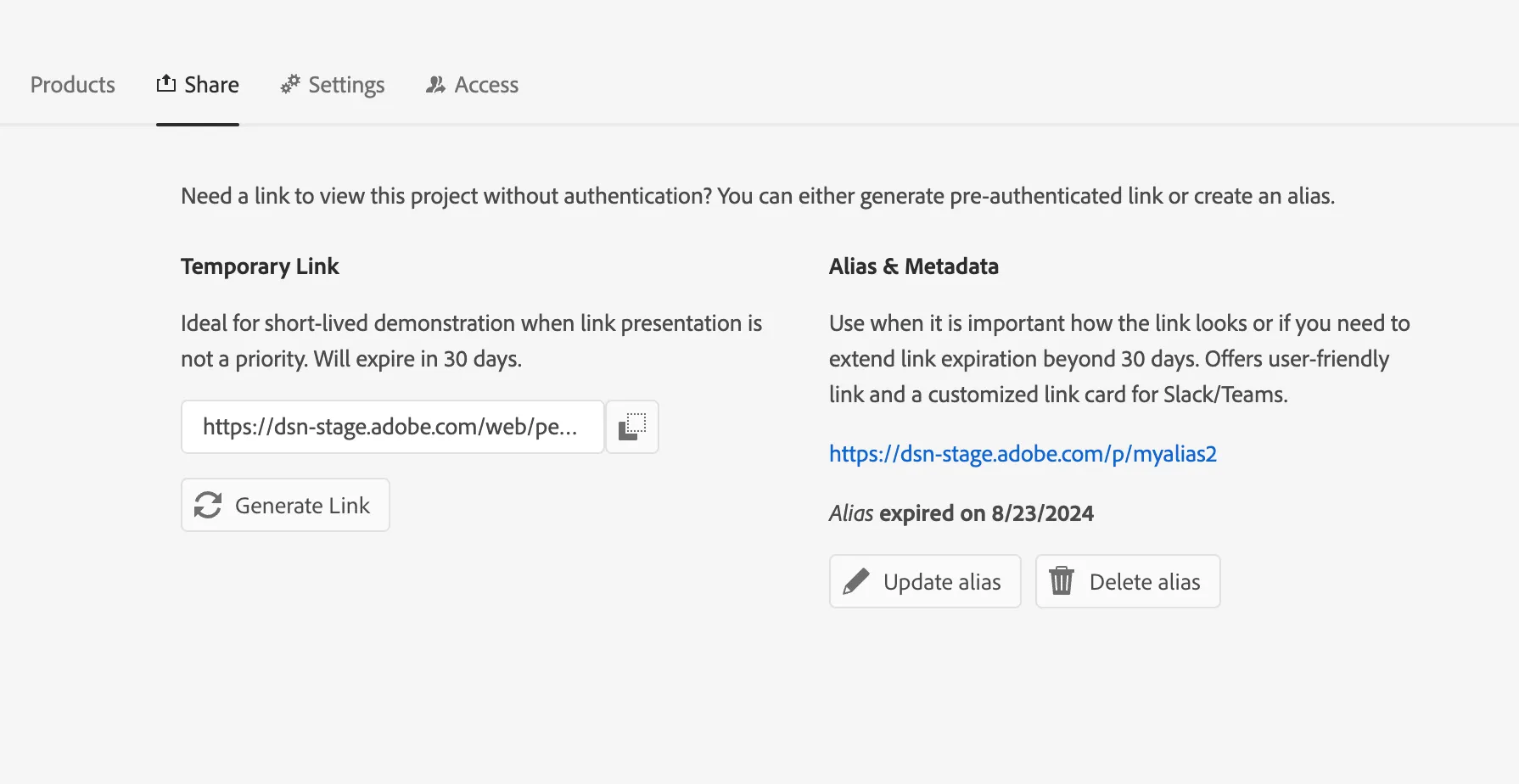
Temporary Link
Under "Temporary Link" title, there is a button that generates a link. The link for this project will be relatively long. This is because it contains an authentication token.
This is a fast and simple solution, however the generated link will expire in around 30 days and cannot be extended. It is also long and may be confusing if used in front of a customer.
Project Alias
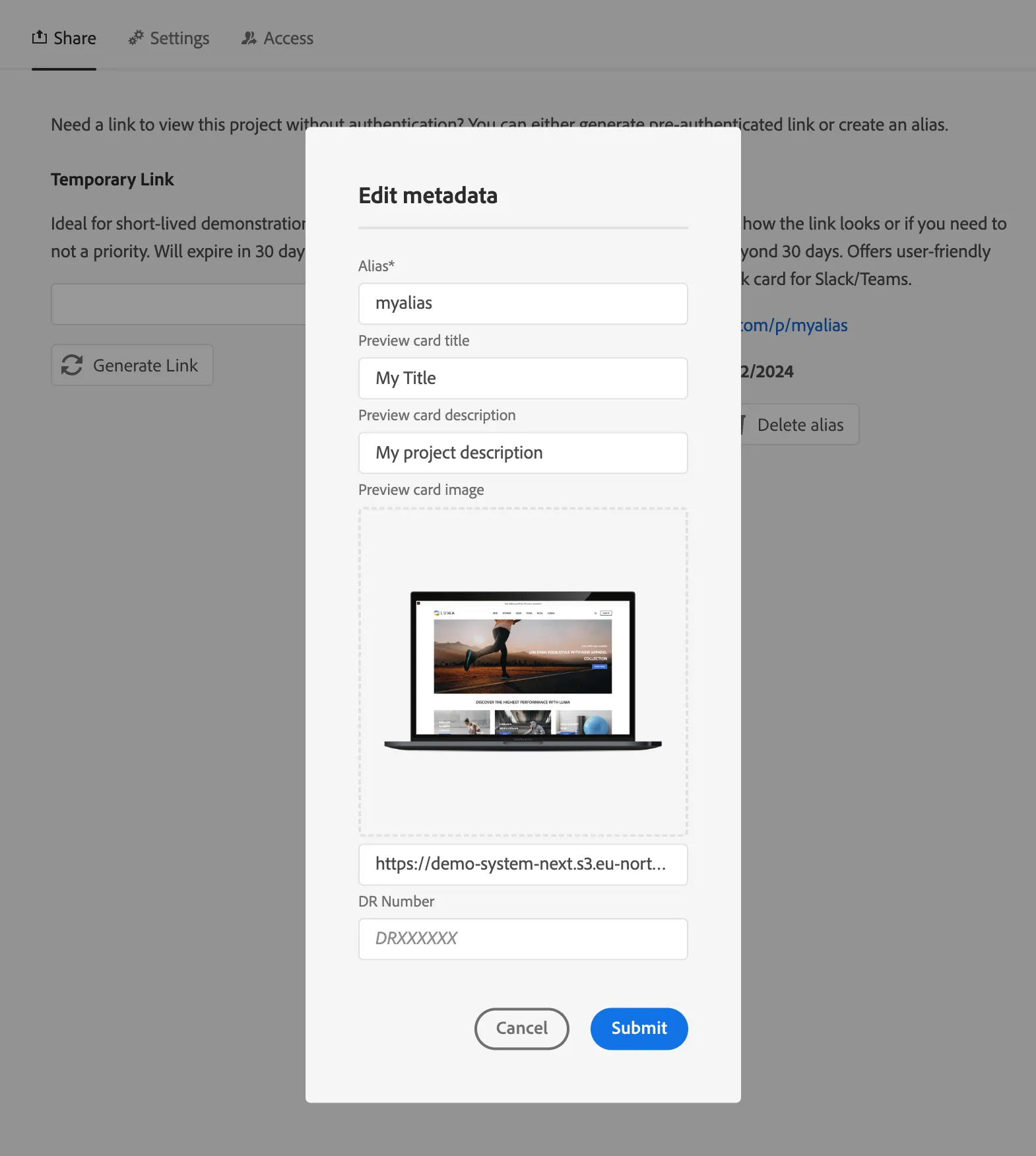
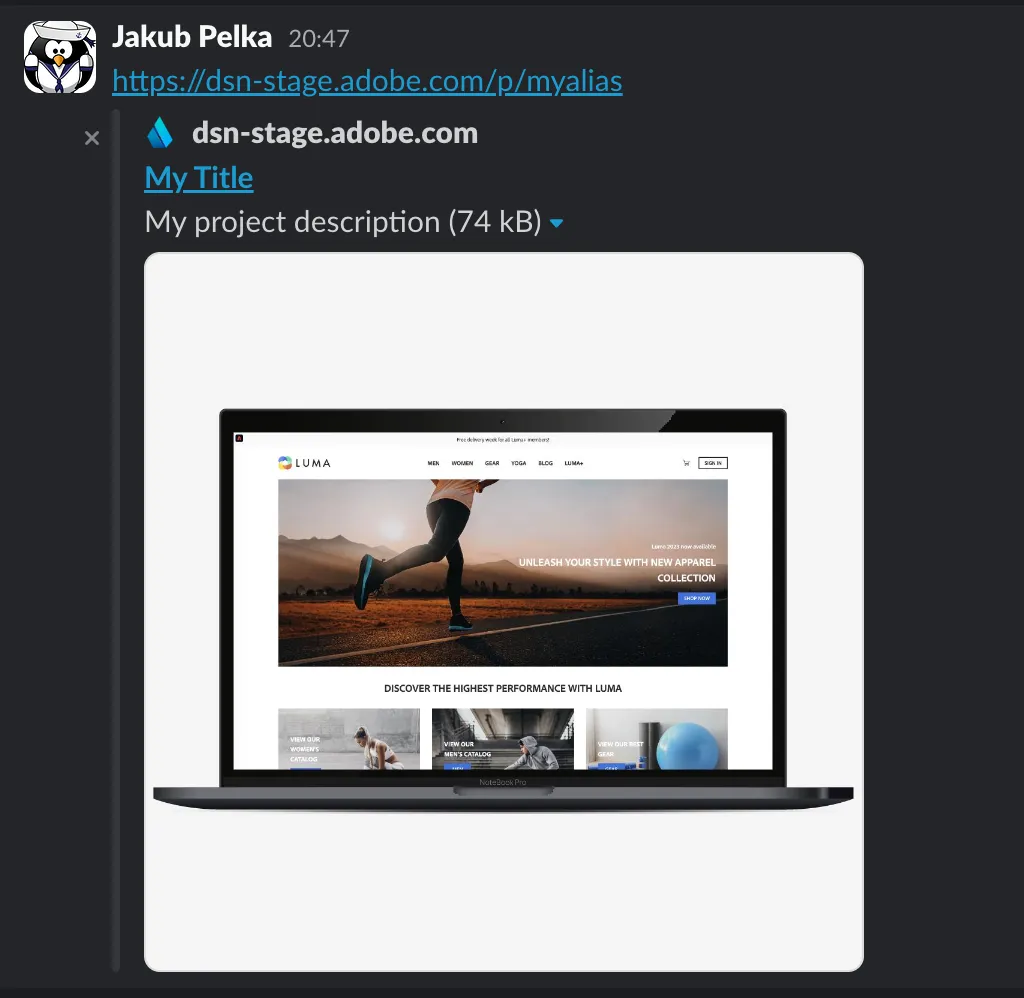
Under "Alias & Metadata" title, you can create, update or remove an existing project alias. It creates a customized preview link, provides pre-authorization and offers a chance customizable link preview cards when pasting the link in Slack or Teams.
However, aliases will expire in time. They will need to be updated to extend validity, otherwise they may be claimed by others. Excercise caution when using aliases and be sure to monitor their expiration. Clean up your old aliases to avoid confusion.
Alias is a customized project identifier, that can be used to prepare better-looking links to your demo website. When created, an alias is automatically assigned a pre-authenticated token and content for link preview cards visible in Slack or Teams.
The alias cannot be the same as an existing alias or existing project ID.
When an alias expires (usually after 60 days), it can be updated to extend validity or deleted. An expired alias will continue to redirect to your project and will maintain a preview card content, however the visitors will be asked to log in to DSN and it may then be claimed by another user.