Web Template for Google Search
3 min
Introduction
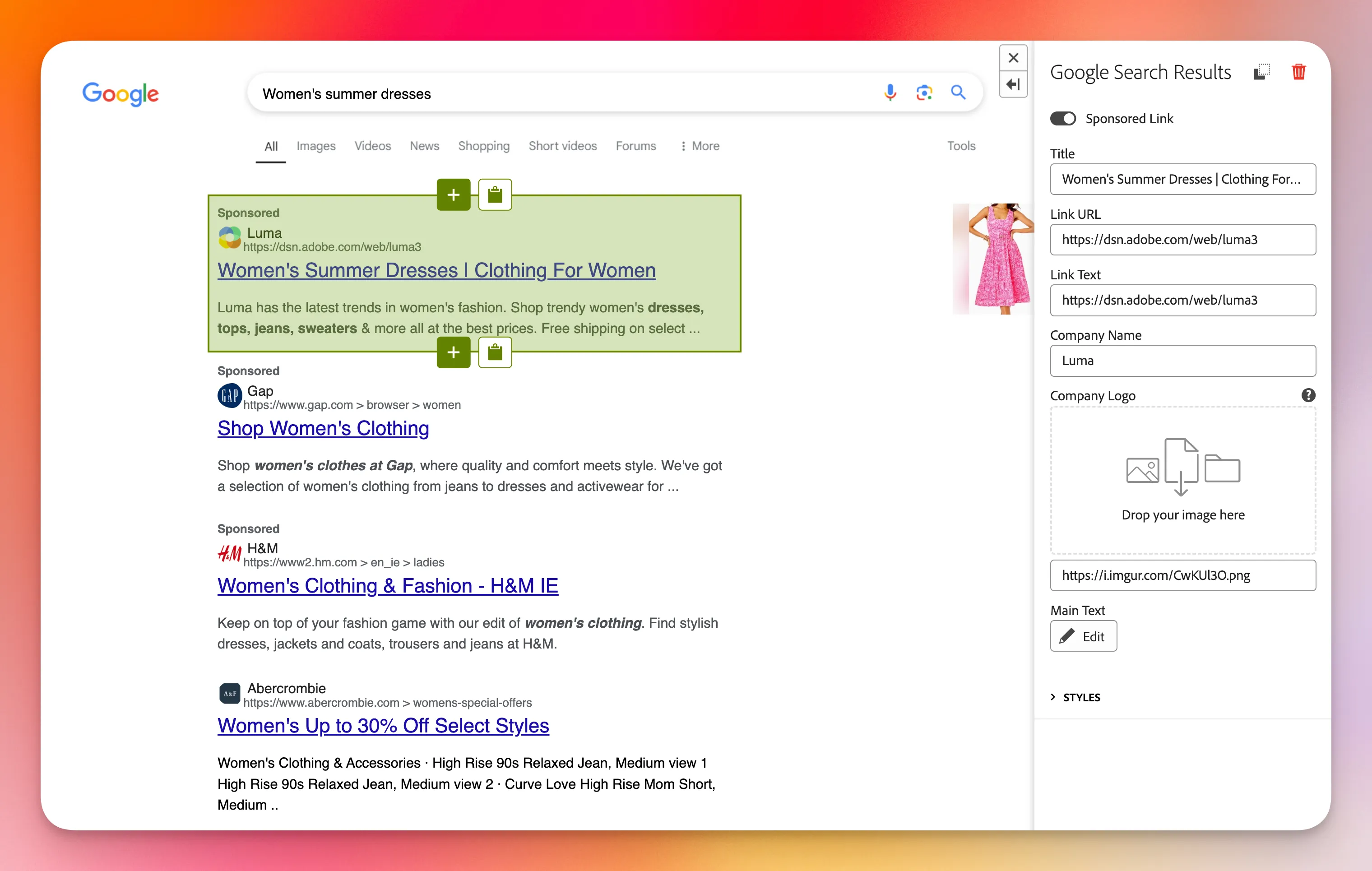
The Google Search Web template uses the DSN layout, images, and a new Google Search Results component to speed up ad personalization. It replaces the Marketo Live Google Ad Targeting to help you start your demo from a Google search and continue on your DSN web project.
Execution Steps
ADD TO AN EXISTING WORKSPACE
- Click on Create
- Select Social Website
- Select the Google template
- Enter a project name
- Click on Finish
CREATE A STANDALONE PROJECT
- Select Social Websites > Google
- Please provide a project name and DR for the opportunity.
- Click on Create
PERSONALIZE THE GOOGLE SEARCH
You will need to take the following actions:
- Edit the Google Search page to change the search text
- Edit the Google Search Results page to customize ad results based on your demo