Adobe Target using Offers
3 min
INITIAL CONFIGURATION
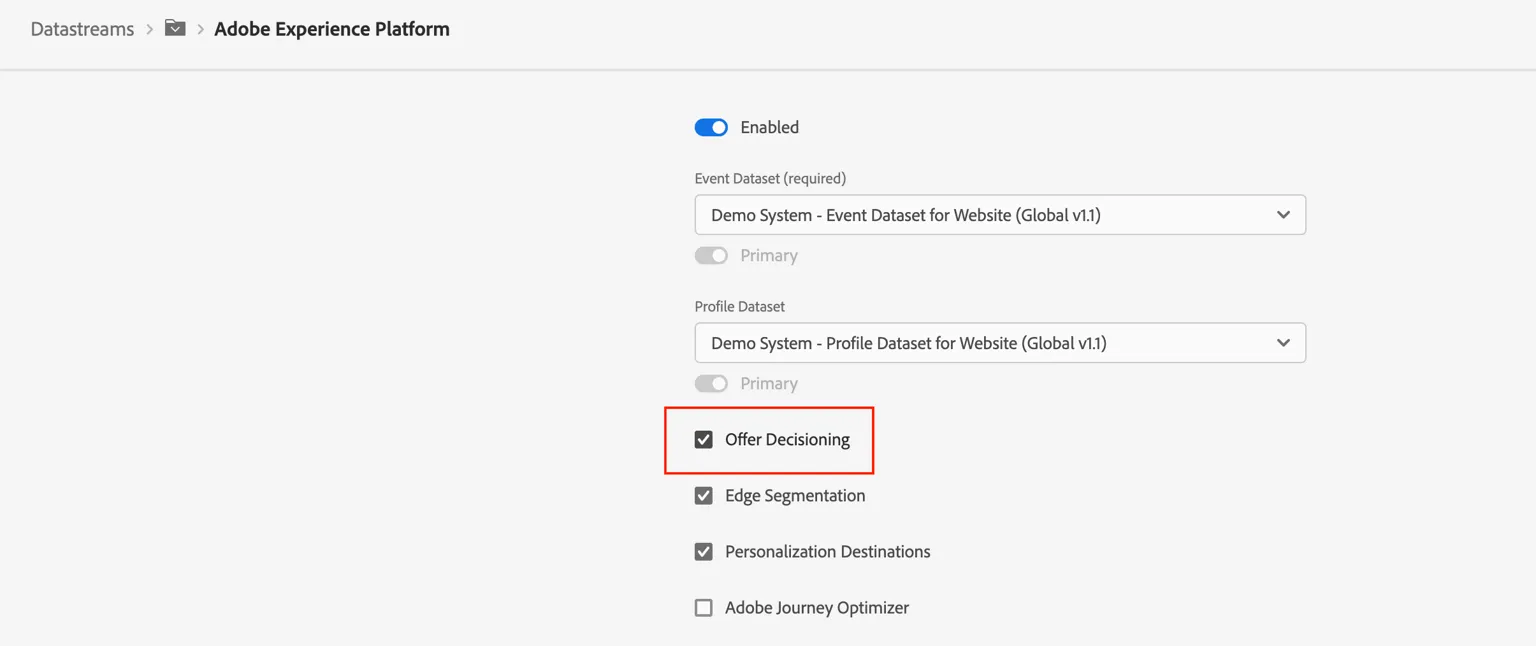
We need to enable offer decisioning in a datastream. To do that you need to follow the following steps.
Go to Data Collection Make sure the right org is selected in the top right corner,- it should be the same one you used for your demonstration. Make sure the right sandbox is selected too. In the navigation on the left select Datastreams.
Find your datastream - If you don't remember the name, try the same name as your website project.
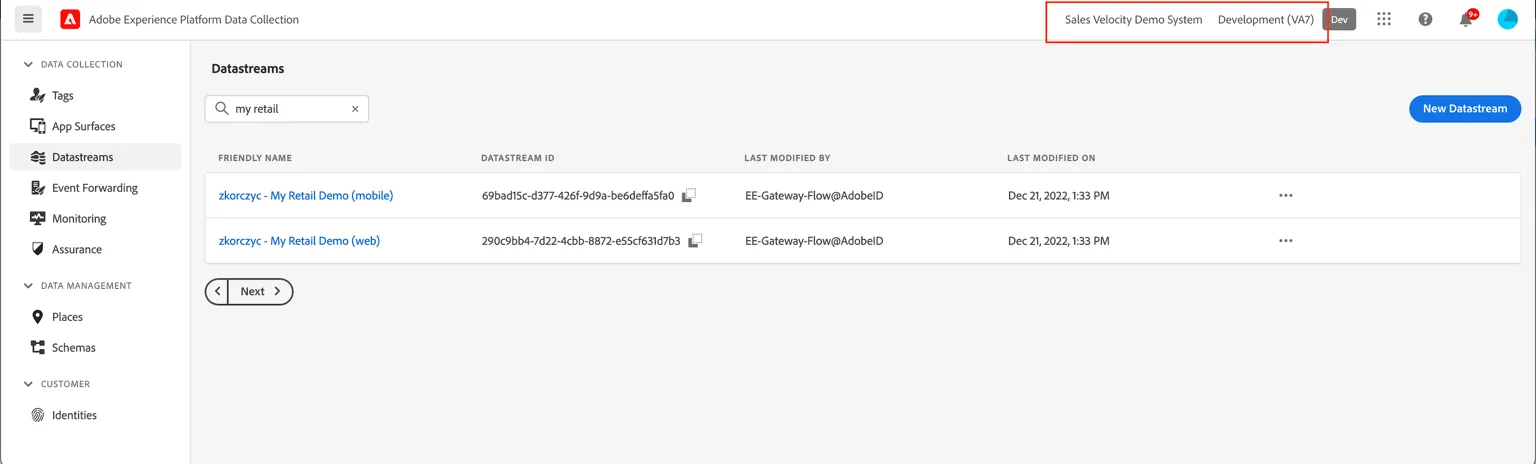
If you can't find your datastream, make sure the right sandbox is selected in the top right corner.
Click on the web datastream to open it.
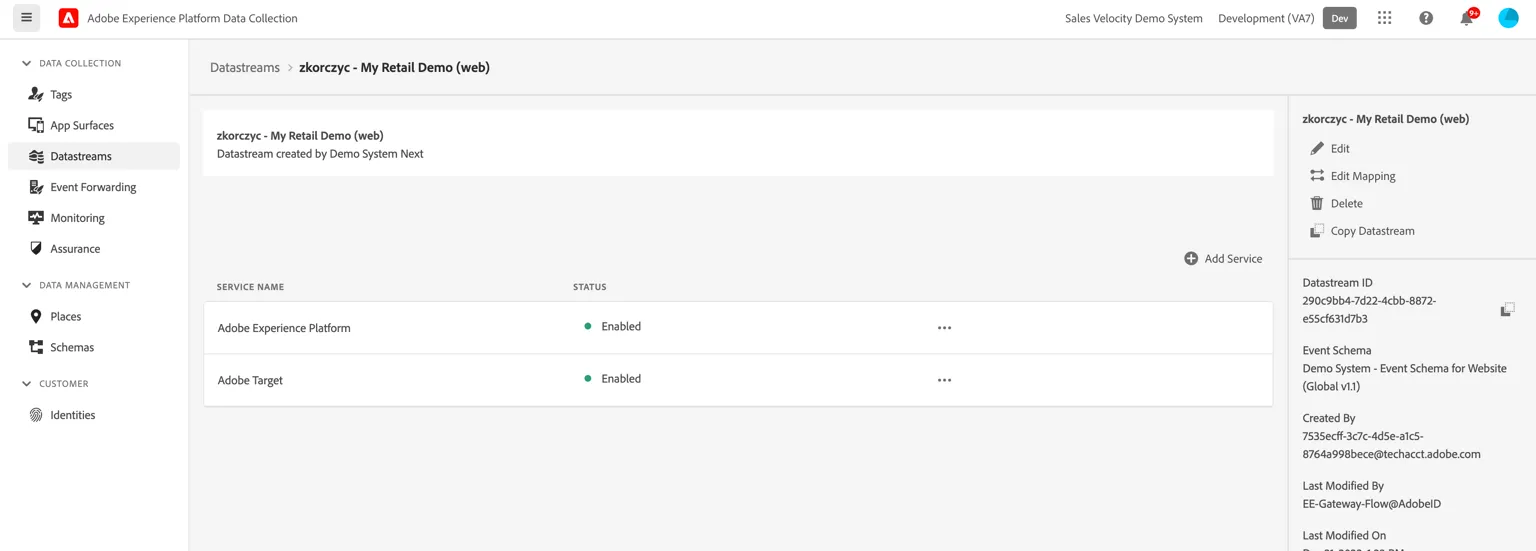
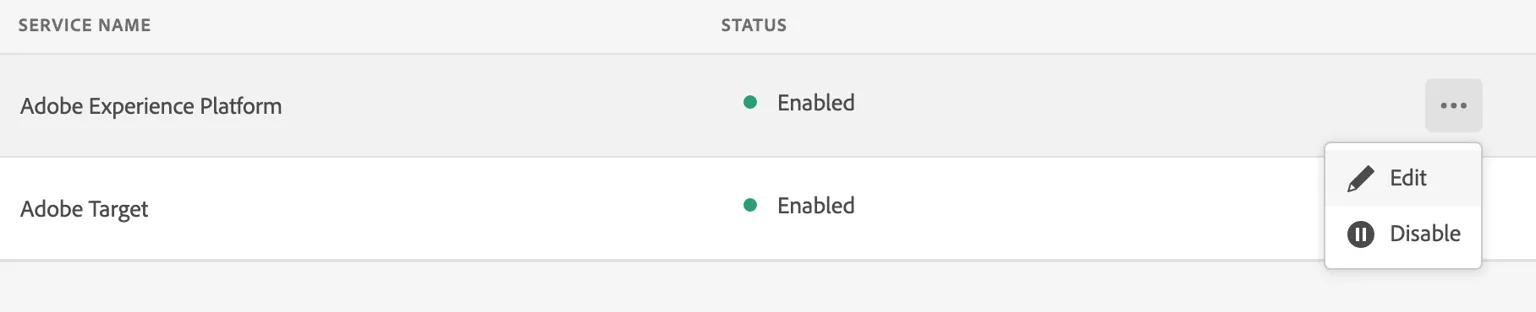
Click the "..." next to the "Adobe Experience Platform" Service and select "Edit"
Make sure the Offer Decisioning checkbox is selected.
STEPS:
- Decide if you are going to do an A/B Test or Experience Targeting. In case of Experience Targeting please prepare your segments in Target or AEP. Make sure they are properly shared and visible in the Target UI. How to use AEP Sandbox Segments in Target using Destinations
- Log in to Target, and make sure you are in the right IMS org as your website is connected to, by checking in the top right corner.
- Prepare your activity
- Test your activity.