Manual Updates required for journeys
Add Contextual attributes to the journeys.
Open Experience platform: https://experience.adobe.com/. Click on three dots, next to org name. Open "Journey Optimizer"

Select the sandbox, and Click on "Journeys" in the left navigation

For Example, go to Journey's "SecurFinancial - Home Loan"
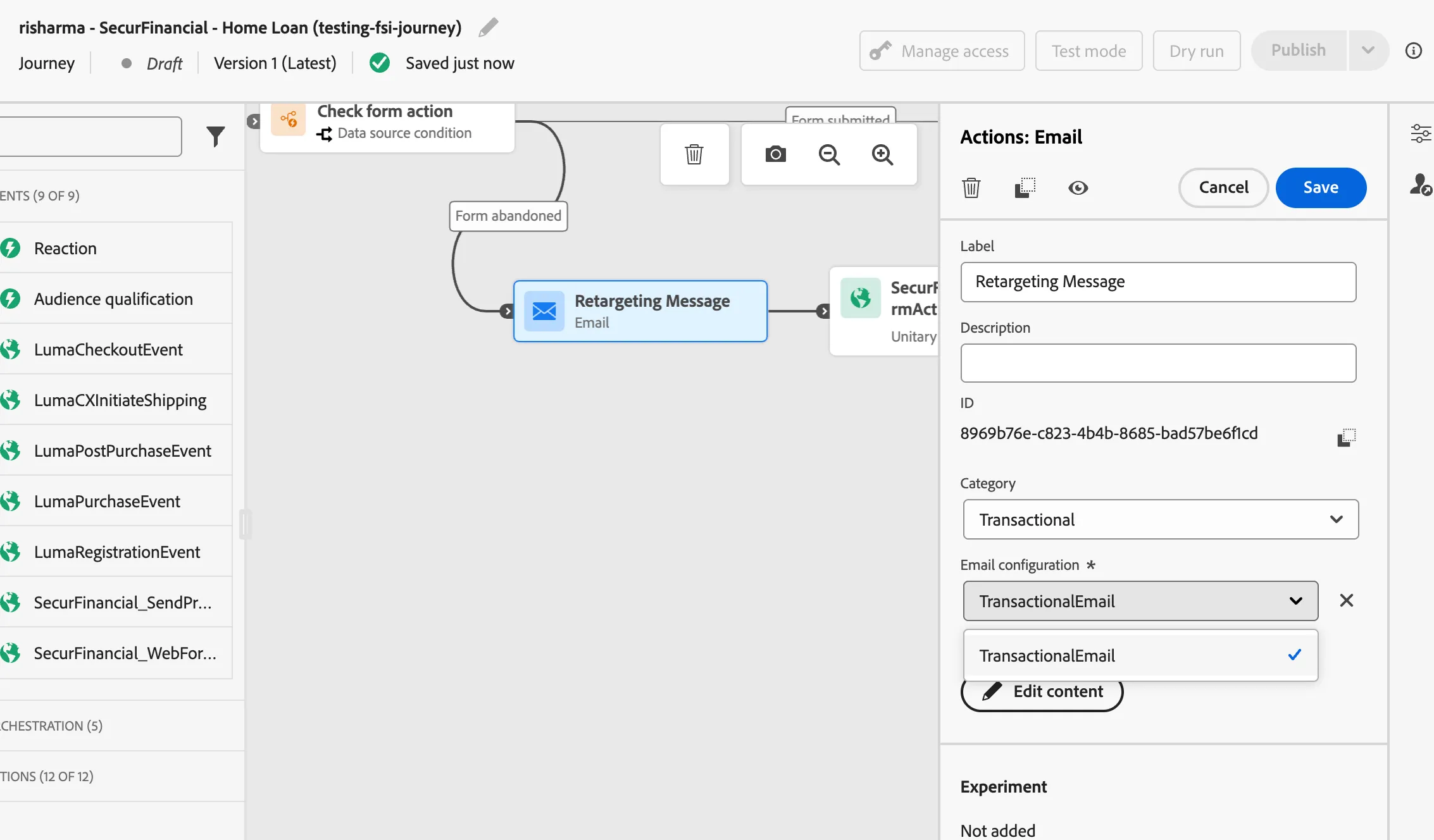
Click on the "Message" and open the message from right rail and check the correct channel configuration is selected
UPDATE THE CONTEXTUAL ATTRIBUTES:
For example, We have a journey "Luma Checkout Abandonment", Open "Email Designer" and click in the left navigation "Contextual attributes". Select "Context" -> "Journey Orchestration" -> "Events" -> "Luma_Website_Checkout" -> "ProductListItems". We are doing this since journey API's are able to link EventID (Journey Contextual Data) with message and we have do it manually right now.


After making above changes, save and publish the message

Repeat the above steps for "Luma - Website - Purchase Confirmation" journey and message "Luma - Order Confirmation" linked with the journey.