Campaign V8 Web UI and AEP Better Together
Introduction
This page is a practical guide on how to run a demonstration that showcases the enhanced capabilities of Adobe Campaign V8 Web User Interface and Adobe Experience Platform (AEP) when used together. The demo will illustrate how to share AEP segments with Campaign and utilize new Campaign features such as Gen AI and Asset Essentials in the email designer.
Use Case
We will target all customers with high propensity scores and web views for Luma Yoga wear. Customers will land in the campaign web UI from AEP, where all the evaluation and eligibility are checked and shared to campaign v8 through a destination connector.
Luma decided to email these customers and inform them about the new Yoga wear launched for Luma. In campaign v8, we created a new campaign with a template to target these users. We will be using the Gen AI feature available in the email designer.
Step-by-step guide
Step | Topic | Instructions |
|---|---|---|
1 | AEP Web SDK |
|
2 | RTCDP Segmentation |
|
3 | Campaign v8 - Web UI |
|
4 | Campaign v8 - Campaign & Workflow creation |
|
5. | Campaign v8 - Email Creation, Asset Essentials, and Gen AI |
|
6. | Campaign v8 - Email Reporting |
|
7. | RTCDP - Send & Tracking Logs Profile Synchronization |
|
System View
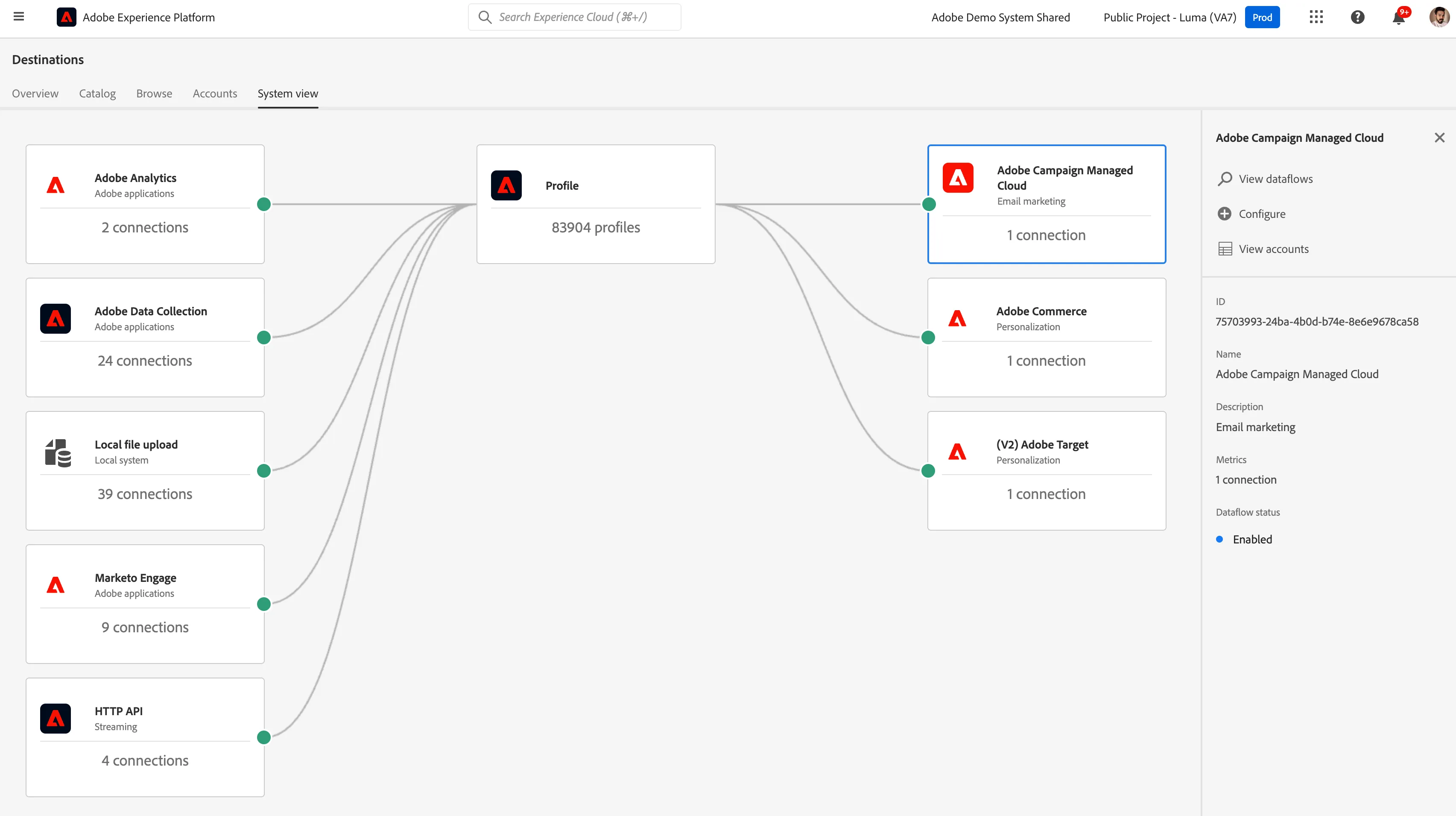
Demo environments
- AEP Sandbox: Public project - Luma
- Campaign v8 Web UI: demosystem4-mkt-prod1
NOTE:
- Guardrail Alert: Adobe Campaign Managed Cloud Services connection destination from AEP to Campaign - You can activate a maximum of 25 audiences to this destination.
- To demonstrate this capability and cater to the above guardrail, we have created a cleanup workflow in the campaign that will delete audiences older than 1 month or those that have not been refreshed in that time frame.