Integrate profile orchestration with V8 to deliver cart abandonment emails
As soon as someone triggers a checkout event which is not followed by a purchase event within a specified timeout, you want to send an email that displays the content of the shopping cart at checkout time. To make this possible, you use Adobe Real-time CDP, AJO (Profile orchestration), and Campaign V8.
There are quite a few examples for simple and flat payloads on how to set this up on both AJO side (Campaign Classic action) and Campaign V8 (transactional message). But as soon as the payload becomes complex (arrays of nested objects), there is no documentation available on how the payload is transformed from XDM (JSON) to XML in V8. There are no code examples available on how to iterate over the shopping cart items in a transactional email in Campaign.
This document describes a working end-to-end approach.
The checkout process on our website will be collected via Adobe Edge and will look like this, most important are the eventType (trigger journey) and the productListItems (that is what our email is all about)
{
"events": [
{
"xdm": {
"eventType": "commerce.checkouts",
"productListItems": [
{
"SKU": "Meindle Mens Response GTW Shoes",
"_demoemea": {
"core": {
"imageURL": "https://publish913.adobedemo.com/content/dam/cotsworld-assets/cw-meindle-mens-respond-gtx-shoes.jpg",
"description": "Meindle Mens Response GTW Shoes"
}
},
"name": "Meindle Mens Response GTW Shoes",
"priceTotal": 160,
"productAddMethod": "web",
"quantity": 1,
"category": "Hiking Shoes"
},
{
"SKU": "Meindl Mens Respond Mid II",
"_demoemea": {
"core": {
"imageURL": "https://publish913.adobedemo.com/content/dam/cotsworld-assets/cw-meindle-men-respond-mid-II.jpg",
"description": "Meindl Mens Respond Mid II"
}
},
"name": "Meindl Mens Respond Mid II",
"priceTotal": 185,
"productAddMethod": "web",
"quantity": 1,
"category": "Hiking Shoes"
}
]
}
}
]
}
V8: define transactional email
<ctx>
<firstname>Marc</firstname>
</ctx>
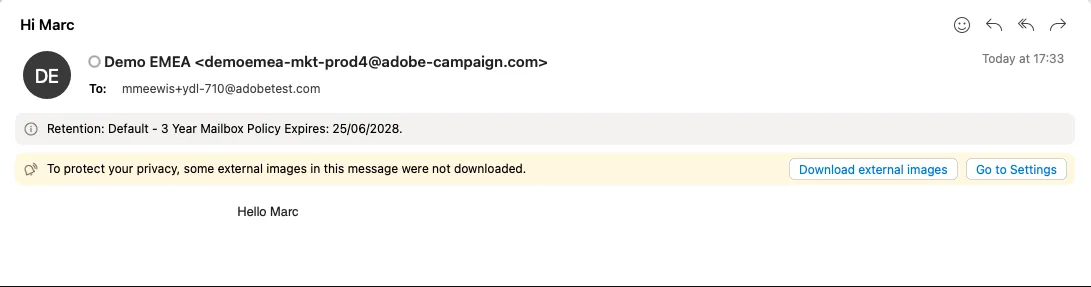
Hello <%= rtEvent.ctx.firstname %>
AJO: Define Campaign Classic Action
That action will trigger a transactional email in V8; the JSON format of the payload that the campaign expects is as follows. Note that we include productListItems without providing further details. It is modelled as an array with two empty elements. The eventType refers to the transactional mail's eventType:
{
"channel": "email",
"eventType": "mmeewis YDL Abandon Cart",
"email": "[email protected]",
"ctx": {
"firstname": "Marc",
"productListItems": [
{
},
{
}
]
}
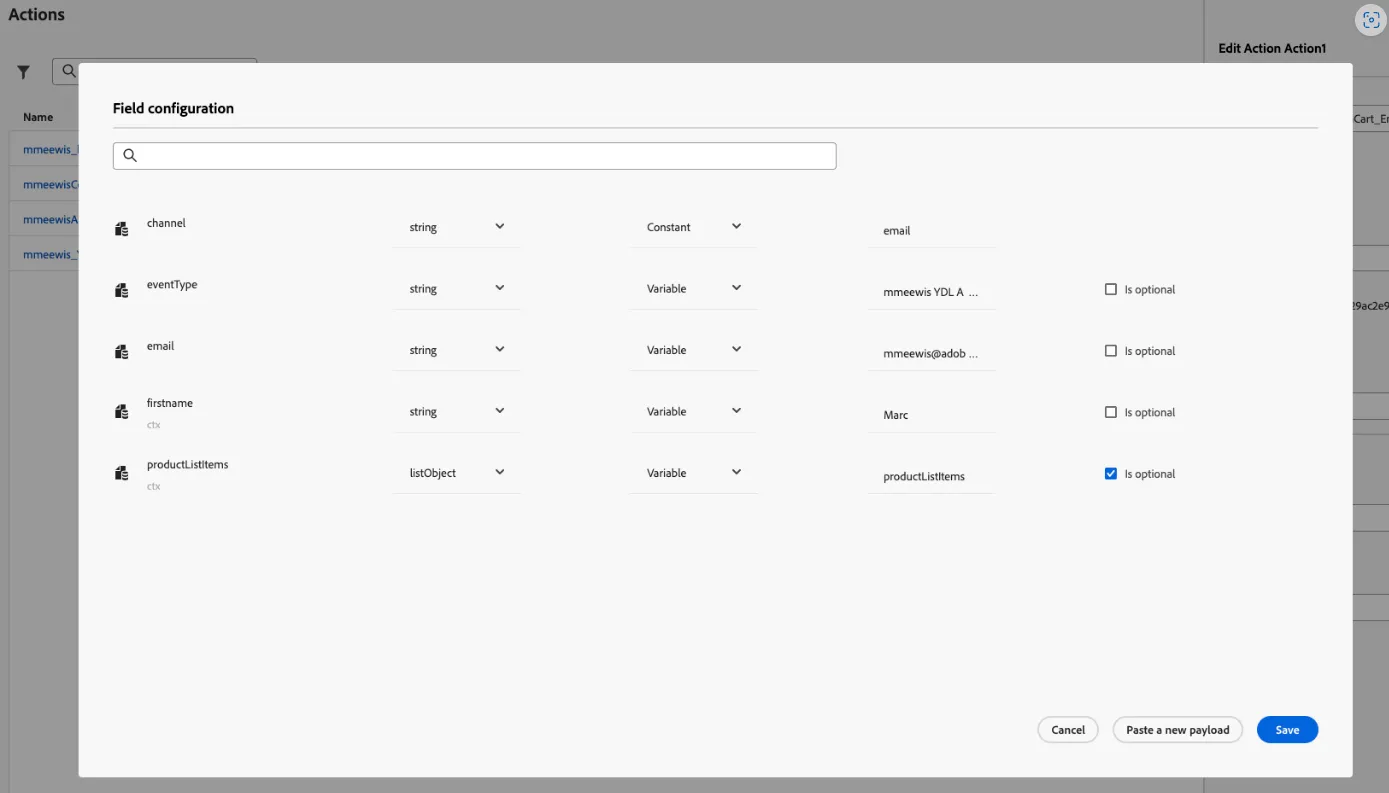
} Define a custom action "mmeewis_YDL_AbandonCart_Email" of type "Campaign Classic" in AJO Configurations -> Actions, and paste the above as the sample payload. Change the variable input type from constant to variable. "productListItems" should be of type listObject, variable with name productListItems, and optional:
AJO: Define checkout journey
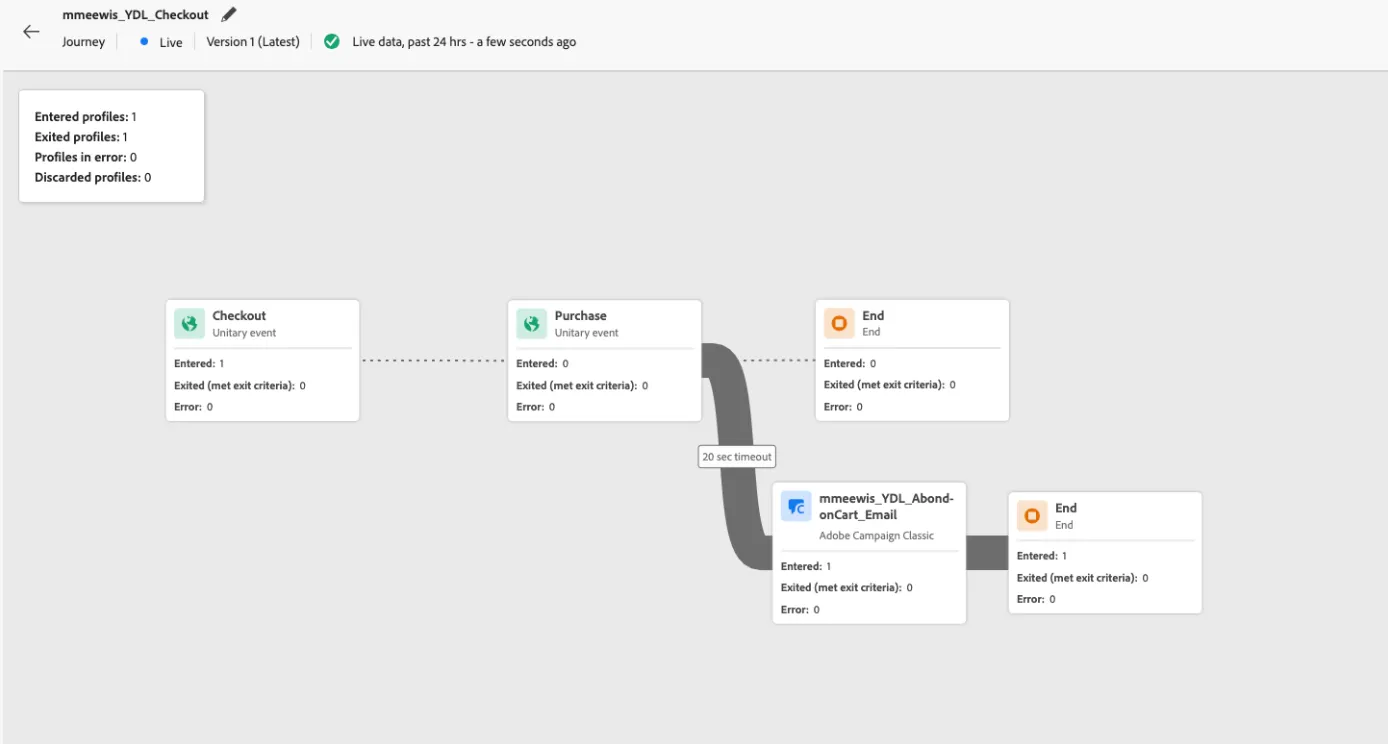
This journey starts whenever a checkout event is collected. Next, it waits for 20 seconds for a purchase event, and if that does not happen, our campaign classic custom action "mmeewis_YDL_AbandonCart_Email" will be executed.
Check out the event definition:
EventId condition: In(the eventType, ['commerce.checkouts'])
Fields selected: select productListItems
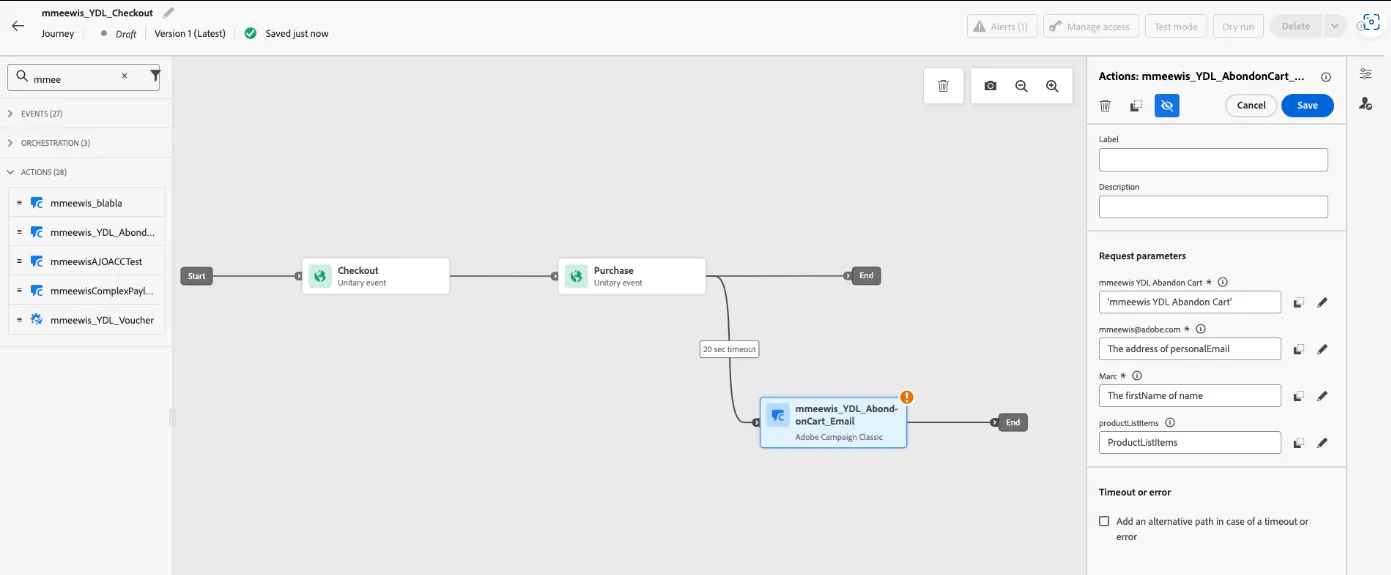
mmeewis_YDL_AbandonCart_Email request parameter mapping
eventType (labeled mmeewis YDL Abondon Cart) : mmeewis YDL Abondon Cart
email (labeled [email protected]) : The Address of personalEmail (person.personalEmail.address) firstname (labeled Marc) : The firstName of name (person.name.firstname)
productListItems : Context > Checkout > Product list items
Trigger the checkout event (DSN website)
V8: What payload is AJO sending to V8
In the Campaign web UI, navigate to "Event history" and open your most recent event. Note: It can take a few minutes before the event history is updated.
Check the payload via </> View data:
<firstname>Marc</firstname>
<productListItems-collection>
<productListItems>
<quantity>1</quantity>
<productAddMethod>web</productAddMethod>
<priceTotal>160</priceTotal>
<name>Meindle Mens Response GTW Shoes</name>
<_demoemea>
<core>
<imageURL>https://publish913.adobedemo.com/content/dam/cotsworld-assets/cw-meindle-mens-respond-gtx-shoes.jpg</imageURL>
<description>Meindle Mens Response GTW Shoes</description>
</core>
</_demoemea>
<SKU>Meindle Mens Response GTW Shoes</SKU>
</productListItems>
<productListItems>
<quantity>1</quantity>
<productAddMethod>web</productAddMethod>
<priceTotal>185</priceTotal>
<name>Meindl Mens Respond Mid II</name>
<_demoemea>
<core>
<imageURL>https://publish913.adobedemo.com/content/dam/cotsworld-assets/cw-meindle-men-respond-mid-II.jpg</imageURL>
<description>Meindl Mens Respond Mid II</description>
</core>
</_demoemea>
<SKU>Meindl Mens Respond Mid II</SKU>
</productListItems>
</productListItems-collection>
Our XDM productListItems array is wrapped in an element.
V8: Update transactional email context sample
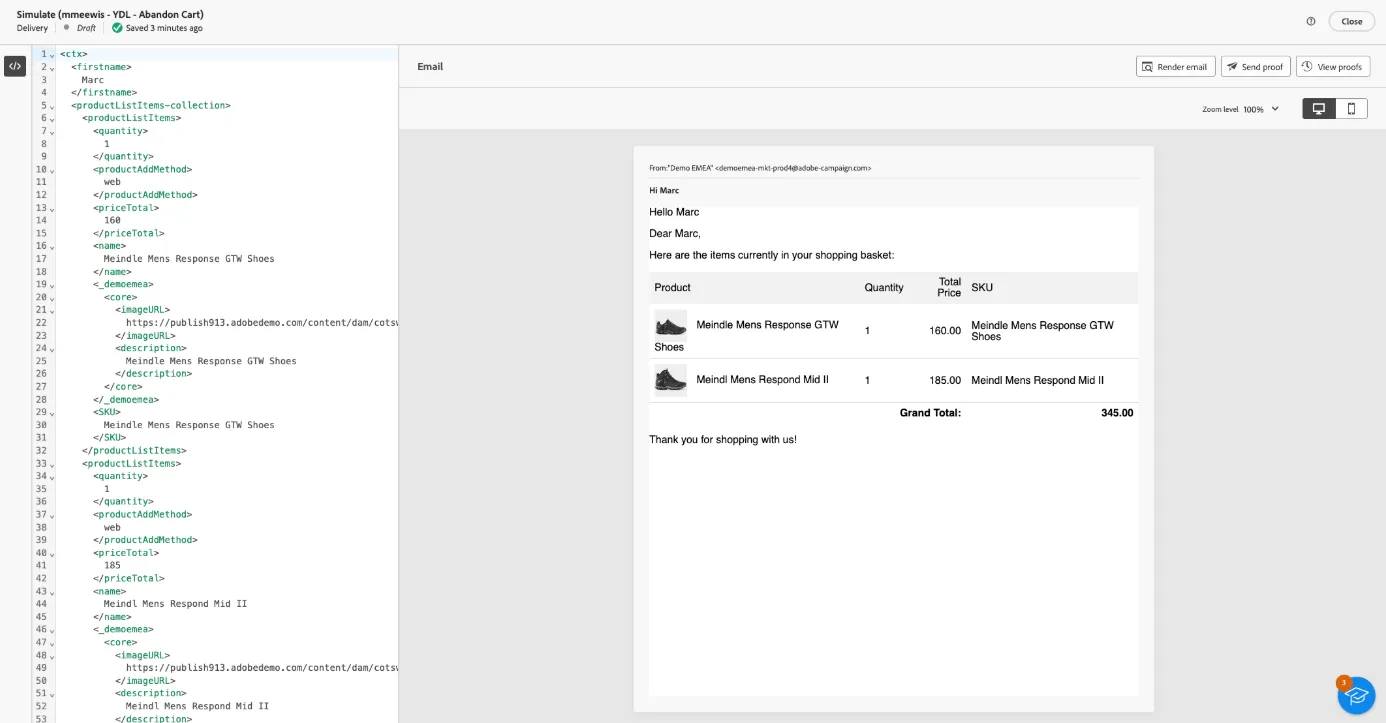
Open the transaction email's sample content and paste your event's payload, do not forget to add the open and close element:
<ctx>
<firstname>Marc</firstname>
<productListItems-collection>
<productListItems>
<quantity>1</quantity>
<productAddMethod>web</productAddMethod>
<priceTotal>160</priceTotal>
<name>Meindle Mens Response GTW Shoes</name>
<_demoemea>
<core>
<imageURL>https://publish913.adobedemo.com/content/dam/cotsworld-assets/cw-meindle-mens-respond-gtx-shoes.jpg</imageURL>
<description>Meindle Mens Response GTW Shoes</description>
</core>
</_demoemea>
<SKU>Meindle Mens Response GTW Shoes</SKU>
</productListItems>
<productListItems>
<quantity>1</quantity>
<productAddMethod>web</productAddMethod>
<priceTotal>185</priceTotal>
<name>Meindl Mens Respond Mid II</name>
<_demoemea>
<core>
<imageURL>https://publish913.adobedemo.com/content/dam/cotsworld-assets/cw-meindle-men-respond-mid-II.jpg</imageURL>
<description>Meindl Mens Respond Mid II</description>
</core>
</_demoemea>
<SKU>Meindl Mens Respond Mid II</SKU>
</productListItems>
</productListItems-collection>
</ctx>
V8: Add an HTML component to render the cart
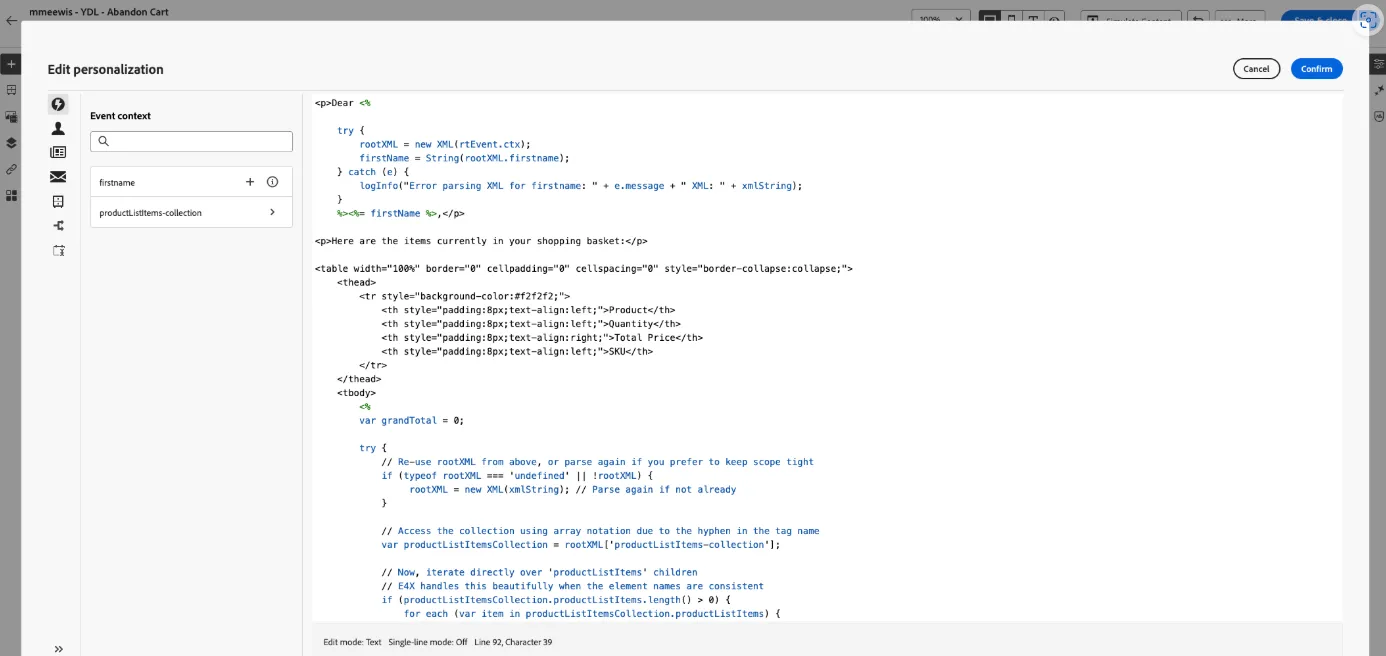
Know we know the correct payload, we can start writing the code to render our shopping cart. Edit the email's content and add an HTML component to your email and paste the code below:
<p>Dear <%
try {
rootXML = new XML(rtEvent.ctx);
firstName = String(rootXML.firstname);
} catch (e) {
logInfo("Error parsing XML for firstname: " + e.message + " XML: " + xmlString);
}
%><%= firstName %>,</p>
<p>Here are the items currently in your shopping basket:</p>
<table width="100%" border="0" cellpadding="0" cellspacing="0" style="border-collapse:collapse;">
<thead>
<tr style="background-color:#f2f2f2;">
<th style="padding:8px;text-align:left;">Product</th>
<th style="padding:8px;text-align:left;">Quantity</th>
<th style="padding:8px;text-align:right;">Total Price</th>
<th style="padding:8px;text-align:left;">SKU</th>
</tr>
</thead>
<tbody>
<%
var grandTotal = 0;
try {
// Re-use rootXML from above, or parse again if you prefer to keep scope tight
if (typeof rootXML === 'undefined' || !rootXML) {
rootXML = new XML(xmlString); // Parse again if not already
}
// Access the collection using array notation due to the hyphen in the tag name
var productListItemsCollection = rootXML['productListItems-collection'];
// Now, iterate directly over 'productListItems' children
// E4X handles this beautifully when the element names are consistent
if (productListItemsCollection.productListItems.length() > 0) {
for each (var item in productListItemsCollection.productListItems) {
var quantity = Number(item.quantity);
var productAddMethod = String(item.productAddMethod); // If you need this
var priceTotal = Number(item.priceTotal);
var name = String(item.name);
// Access nested elements: item._demoemea.core.imageURL
var imageURL = String(item._demoemea.core.imageURL);
var description = String(item._demoemea.core.description); // For alt text
var sku = String(item.SKU);
grandTotal += priceTotal; // Summing the pre-calculated priceTotal
%>
<tr>
<td style="padding:8px;border-bottom:1px solid #ddd;">
<% if (imageURL && imageURL !== "undefined") { %>
<img src="<%= imageURL %>" alt="<%= description %>" width="50" height="50" style="vertical-align:middle;margin-right:10px;">
<% } %>
<%= name %>
</td>
<td style="padding:8px;border-bottom:1px solid #ddd;"><%= quantity %></td>
<td style="padding:8px;border-bottom:1px solid #ddd;text-align:right;"><%= priceTotal.toFixed(2) %></td>
<td style="padding:8px;border-bottom:1px solid #ddd;"><%= sku %></td>
</tr>
<%
}
} else {
%>
<tr>
<td colspan="4" style="padding:8px;text-align:center;color:#888;">Your basket is empty.</td>
</tr>
<%
}
} catch (e) {
%>
<tr>
<td colspan="4" style="padding:8px;text-align:center;color:red;">Error processing basket data: <%= e.message %></td>
</tr>
<%
// Log the error in Adobe Campaign's logs for debugging
logInfo("Error processing XML basket data (main loop): " + e.message + " XML: " + xmlString);
}
%>
</tbody>
<tfoot>
<tr>
<td colspan="3" style="padding:8px;text-align:right;font-weight:bold;">Grand Total:</td>
<td style="padding:8px;text-align:right;font-weight:bold;"><%= grandTotal.toFixed(2) %></td>
</tr>
</tfoot>
</table>
<p>Thank you for shopping with us!</p>
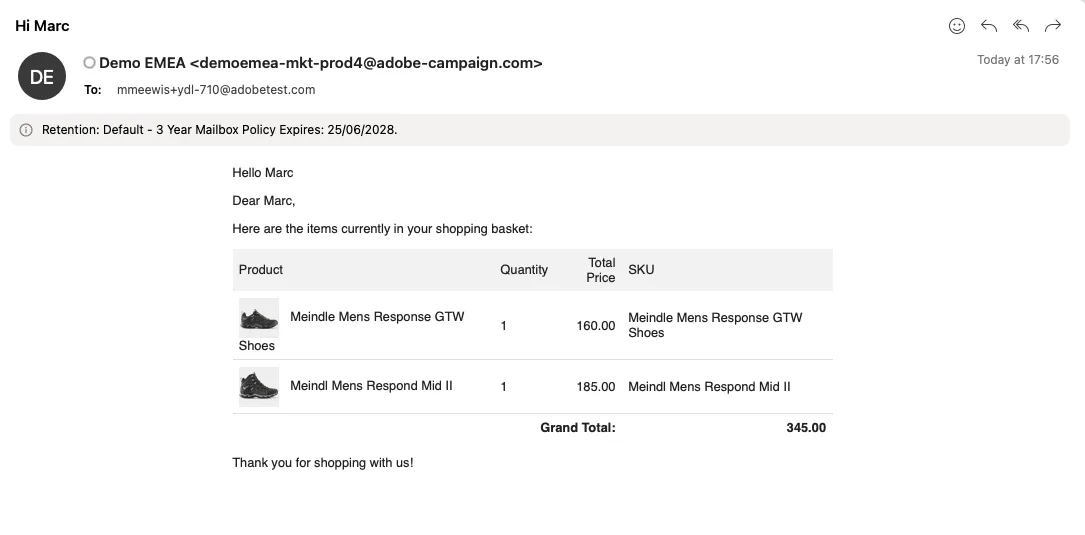
Publish the transactional email
Author: Marc Meewis, Principal Solutions Consultant