Partner Audience Expansion
Before you will start this demo please read this article: Partner Data
Additinal Resouorces:
Experience League Documentation: Activating Audiences to Curated Destinations based on LiveRamp IDs https://experienceleague.adobe.com/docs/experience-platform/destinations/ui/activate/activate-curated-destinations.html?lang=en
Deck on Data Export (starts on slide 16): https://fieldreadiness-adobe.highspot.com/items/6515954594d4ebe1b5bc7d04?lfrm=rhp.1#10
Background/Setup Narrative
This demo script walks through how to use existing demo assets to speak to the Expansion via LiveRamp
IMS Org: Adobe Demo System Shared, sandbox: public-securfinancial
It's important to note here that while we do have a productized destination for LiveRamp, customers can use the generic file-based destinations like the SFTP destination to send first-party audiences to other partners from RTCDP. This is a generic approach that’s partner-agnostic.
Today, LiveRamp is the only partner we’re working with that has built out a connector, and this demo script outlines the LiveRamp onboarding workflow, i.e. the file-based segment share via SFTP to LiveRamp, as well as what was referred to as Phase II, LiveRamp Distribution.
Note – these are two separate connectors, see screenshot, and the demo flow outlined below covers both.
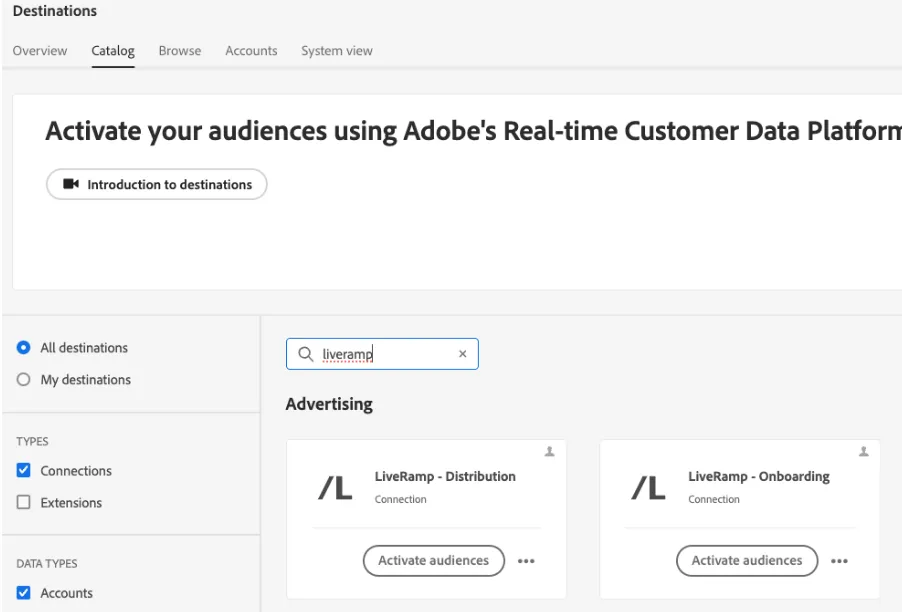
Users are required to setup the onboarding connector first to then use the distribution connector, I.e. data needs to be sent to LiveRamp first to then be activated to one of the RampID supported destinations now in the RTCDP destinations catalog.
- The script below highlights the benefits of the distribution connector mainly as we want to encourage customers to use the destinations available in the RTCDP catalog. We also do offer the flexibility for customers who want to simply onboard audiences to LiveRamp, if needed.
From a user standpoint, understand that setting up the Onboarding connector (getting the data into LiveRamp) first followed by using the Distribution connector is the required workflow for the customer. The script highlights the value selling points you should mention.
- But know they are independently helpful, meaning if the customer already has data from RTCDP in LiveRamp, they don’t need to setup the Onboarding connector, and if they want to activate via the LiveRamp UI, they don’t have to setup the Distribution connector.
- Tailor your talk track as needed based on what you know of the customer’s existing LiveRamp relationship.
We’re actively having conversations with other partners to launch additional destination cards and productized workflows.
It's important to note here that while we do have a productized destination for LiveRamp, customers can use the generic file-based destinations like the SFTP destination to send first-party audiences to other partners from RTCDP. This is a generic approach that’s partner-agnostic.
How to use
This is best used after:
- You’ve laid out the core foundational framework of the product (Sources, XDM, Identity Resolution, Governance, Profiles, Segmentation and Activation)
- You’ve talked about the other use cases, like Offsite Prospecting and Enrichment specifically – some of the content below could build from the other use case script
- When possible, understand the nature of your customer’s relationship with LiveRamp and update the talk track below accordingly.
As this capability requires a pre-existing relationship with LiveRamp, make sure you understand whether your customer already has this relationship, or plans to have one. Adobe is not contracting LiveRamp relationships for our customers who want to use this.
- The best way to tee this up is to explain that the customer will setup the onboarding destination first to get data into LiveRamp’s system, then once it’s confirmed data is there, they’re able to natively reach a curated list of new destinations including Connected TV and Audio destinations.
- Depending on timing you have to get through this demo flow, it may make sense to start at the DISTRIBUTION connector section, and just voice over this statement.
- As part of our partner data support, we’re able to help our customers expand reach into other advertising destinations where a partner ID is needed for activation because publishers require something other than PII or 1P identifiers.
- This allows our customers to reach more destinations like Connected TV, audio and specialized publishers centrally, without fragmenting your 1P audiences across channels.
- Today, we’re able to do this with LiveRamp via the new destination connector they built in our destination catalog.
- You can also do this using a generic file-based destination like Amazon s3 or SFTP.
Click on Desitnations and select LiveRamp onboarding connector.
Click "Activate audiences"
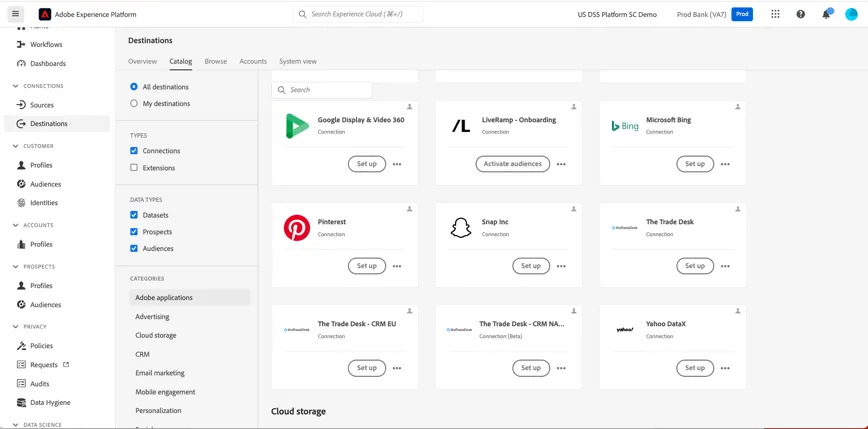
- This is for current customers of LiveRamp since to set this up you’d need to log into your LiveRamp provided SFTP with either your username and password or SSH keys.
- For this demo, I’ve already logged into my LiveRamp account so I’m ready to begin sharing audiences.
- And because we’re activating this segment from RTCDP, I’m able to set a governance policy on this destination, so I can ensure my marketing team is activating experiences keeping our company policies around both our 1P and our 3P data top of min
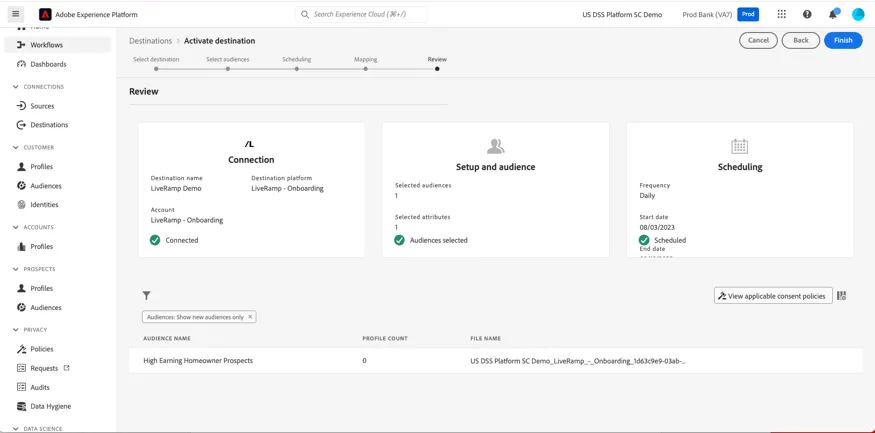
Click on the existing destination named 'LiveRamp demo’ and click next
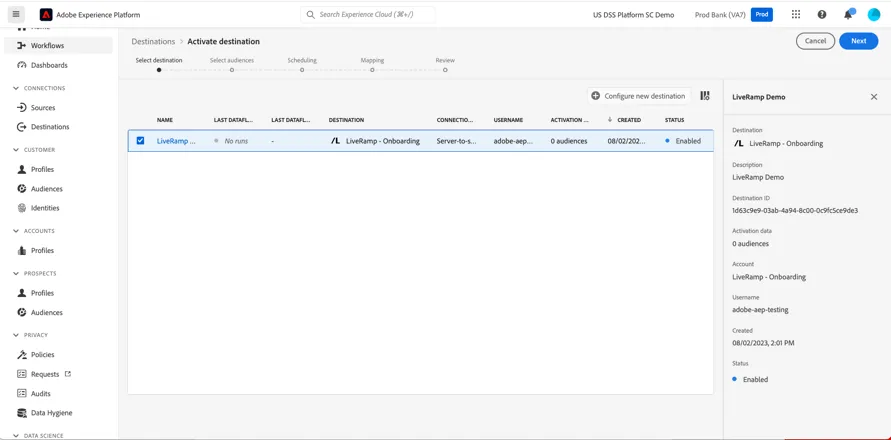
- Choose the ‘High Earning Homeowner Prospects’ segment
- Complete the workflow
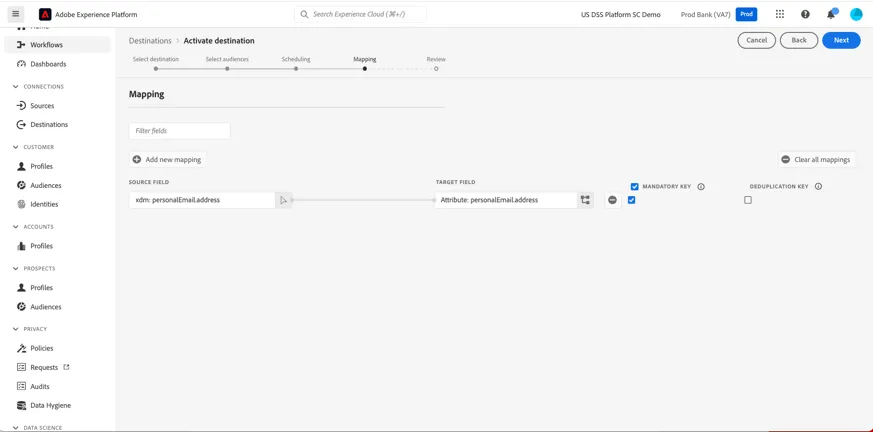
- For mapping, you must select the ID – choose email address for purpose of demo flow
- I’m going to select the ‘High Earning Homeowner Prospects’ segment, the one we created previously.
- One of the benefits of activating to LiveRamp from RTCDP is the ability to activate segments with your brand’s rich, 1P data and enriched attributes you may have from your other partners.
- This segment was created using partner data to help me understand who within my 1P seed set was considered a high earner and are open to refinancing, but who don’t have a financial advisor with my bank.
- This is a segment I’d want to activate as part of my new campaign to generate leads for the bank’s updated financial advisor program.
- Similar to the other activation workflows, I’m going to set a schedule in which I want this segment to be shared and updated to LiveRamp. Currently with this integration, LiveRamp accepts Daily full files, users can set a schedule or choose ‘After Segment Evaluation’ to export files after segmentation is done. Then I’m asked to map attributes. In addition to the Identity, you can share additional attributes to enhance targeting for the people in your segment, like first or last name.
- The LiveRamp destination accepts hashed email and phone number, MAIDs, the Abilitec ID (LiveRamp’s partner ID), and what they call a custom ID.
- Examples: hashed email and phone number, MAIDs, the Abilitec ID (LiveRamp’s partner ID), and what they call a custom ID.
- The CID is typically something like a loyalty ID or CRM ID, and is usually setup by the customer already depending on the nature of their relationship with LiveRamp.
- For our demo, I’m going to select email address as the identity, making it mandatory and then click next. I’m all set.
- At this point, I’d log into my LiveRamp account and would work there to activate the segment to the end destination.
- This workflow is going to send a file to LiveRamp once a day during the time period I selected.
- NOTE: This is actually different than our current file-based destination patterns where we send a single file per segment. Here, we are outputting a single file, and all segments selected for activation are included in the output file as columns indicating segment membership for each profile.
- There are some SLAs to keep in mind.
- To power this, LiveRamp will be taking this segment file and matching all of the IDs (whether email, phone, CID etc.) to the RampID, which is the ID accepted by the publishers and channels they work with.
- There is a different RampID per platform, i.e. Hulu has a different RampID for me vs. the Roku RampID – LiveRamp owns the match table between the platforms which makes this possible.
- Because of that, there’s some initial setup work once this segment is shared and customers should plan on a 2-4 day period from segment send to activation:
- LiveRamp will require customers to file a support case in LR saying they’ve activated a file.
- After this ticket is submitted, LR says to expect a 24-48 hour SLA to get data and automation mapped on their end.
- There will be another 24-48 hours for the ingestion of the segments from the file
- All in – expect 2-4 days to start using this the first time.
- But once that initial match is made, the recurring daily updates of the file send from Adobe will happen automatically.
- Net-net – SLA’s for getting this live fully depend on LiveRamp, so we suggest working with them for any more specific questions.
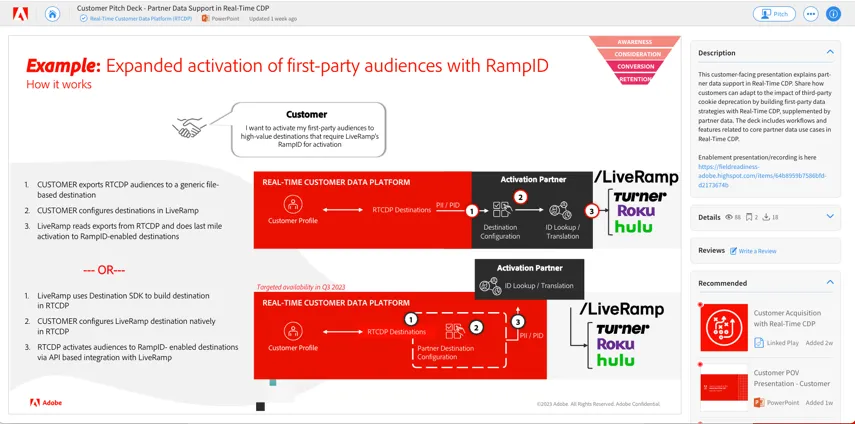
What we recently released is this new connector – LiveRamp Distribution, which further centralizes your activation workflows allowing access to 20 plus new curated destinations directly from RTCDP!
This removes the need to log into LiveRamp’s UI. Instead, you can activate audiences to connected TV, audio and curated RampID-enabled destinations directly from RTCDP using this connector workflow that’s powered via an API based integration with LiveRamp.
Let’s take a look!
- Click on Destinations and select the LiveRamp Distribution connector
- Click ‘Activate Audiences’
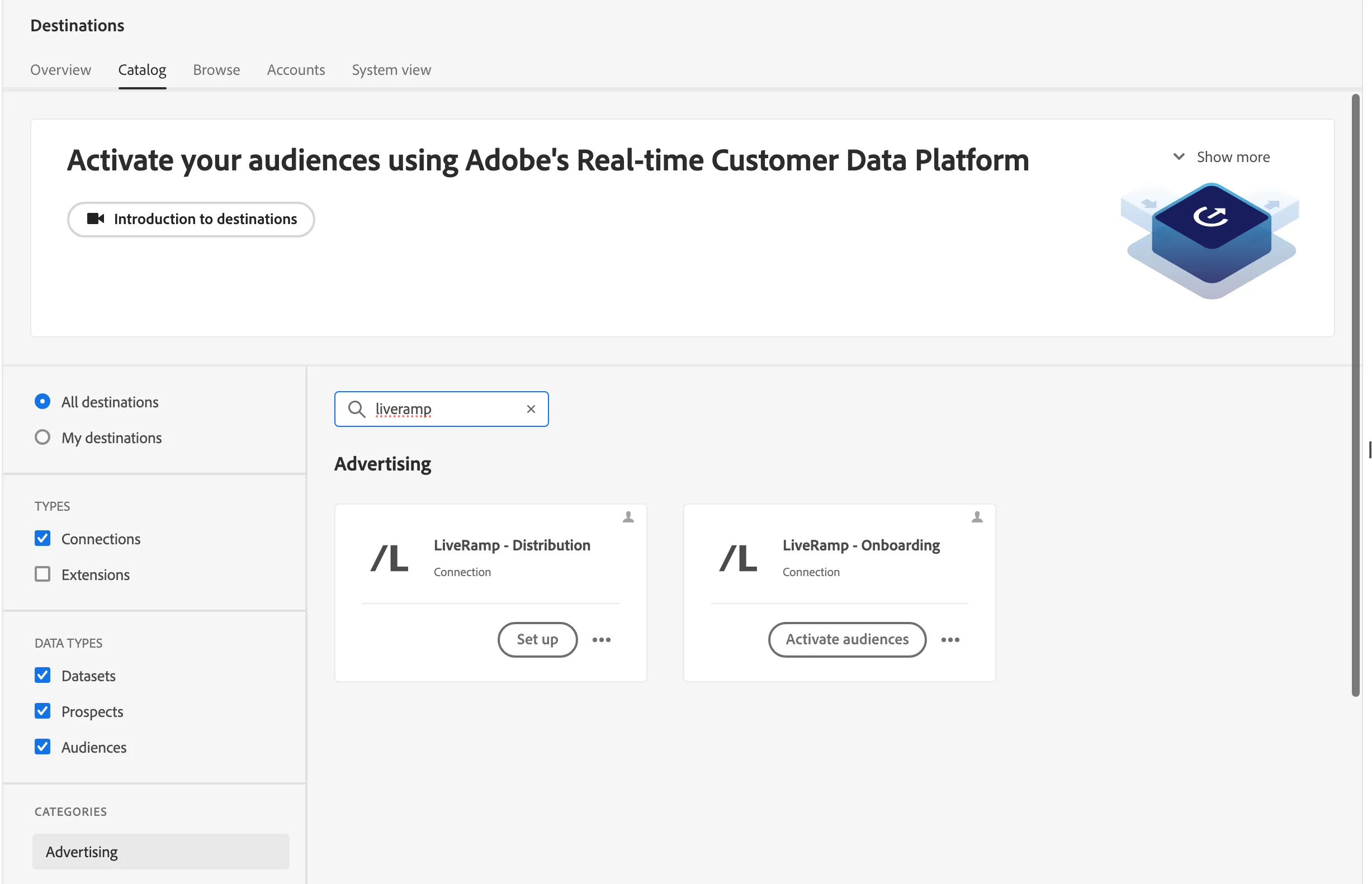
I’m going to authenticate to my LiveRamp account the same way I would any other destination connector, and the same credentials I used to setup the onboarding connector.
Then, I’d configure a new destination per channel. Since this LiveRamp connector provides access to channels like Connected TV and audio, I’m going to setup a specific destination within this connector for Roku, for Spotify, etc.
Let’s walk through an example:
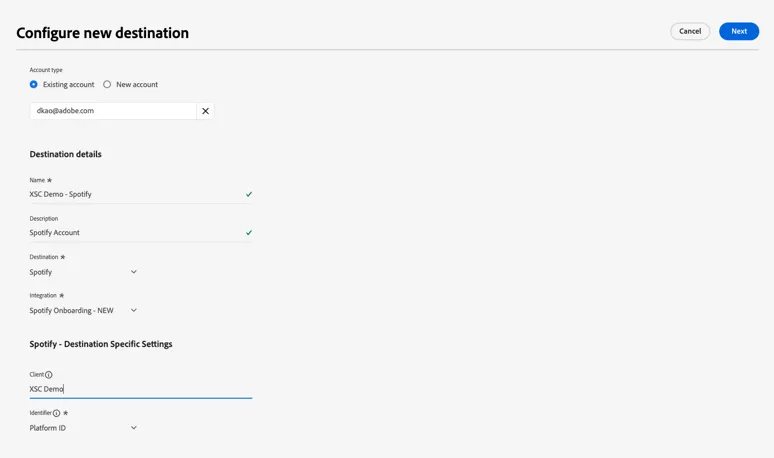
I’m going to configure a new destination for Spotify – meaning I want to send audiences from RTCDP to LiveRamp so I can target users on Spotify using the Ramp ID.
I’m going to choose existing account since I have my LiveRamp authentication setup already.
For a naming convention, we suggest using the destination name in the title for easier reporting, so we’ll call this Spotify Demo, choose Spotify as the destination, using the Spotify integration and the Platform ID
And because we’re activating this segment from RTCDP, I’m able to set a governance policy on this destination, so I can ensure my marketing team is activating experiences keeping our company policies around both our 1P and our 3P data top of mind.
Again, this step here means that as we’re activating audiences out of RTCDP through this connector via API, LiveRamp is transcoding on the egress so the RampID is applied to everyone in this segment for whom a RampID exists, for advertising on Spotify.
(DO NOT DO FOLLOWING STEPS ON PUBLIC SECURFINANCIAL SANDBOX)
- Click on configure new destination
- Click radio button for existing account
- Select existing destination and choose ‘select’
- Name ‘XSC Demo – Spotify’
- Description – Spotify Account
- Destination – Spotify
- Integration – Spotify Onboarding – New
- Client – Test
- Identifier – Platform ID
- Marketing Action – Data Science
- Click ‘save & exit’
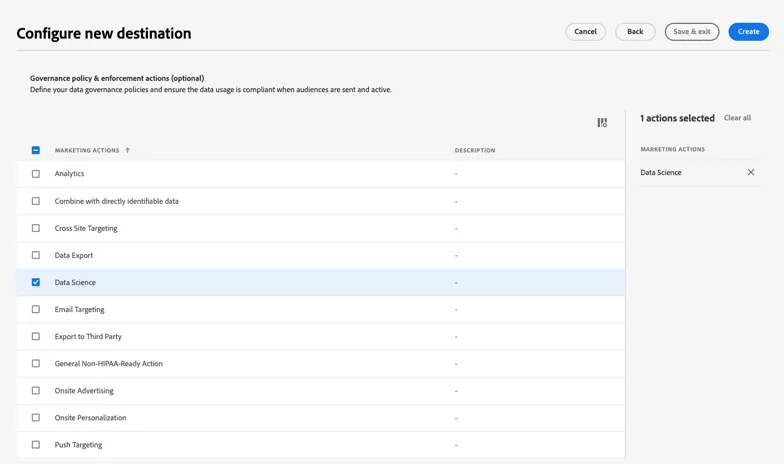
- Click on the existing destination named ‘XSC Demo-Roku ’ and click next
- Do not Click Finish
I already have a destination setup for Roku – we’ll show the actual activation workflow here.
I’m going to click on this activate audiences button and choose High Earning Homeowner Prospects since I’ve previously activated that audience in the Onboarding Destination, and click next.
It’s really that simple. What’s happening on the backend is that LiveRamp is using the Activation API to perform an ID lookup on the hashed email that I previously onboarded in the earlier flow I showed. LiveRamp is then performing the identity resolution from that hashed email to RampIDs for Roku in this case, or Spotify – whatever destination I’ve configured.
This process is streaming activation, so same as above, once the data is activated to the downstream destination segment updates will be shared
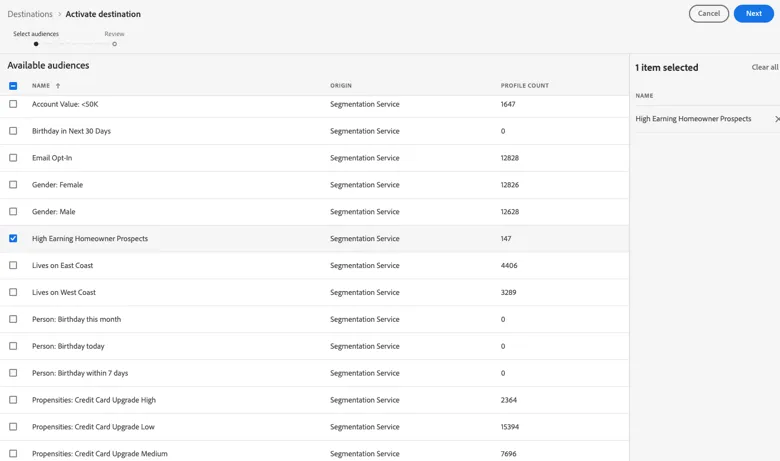
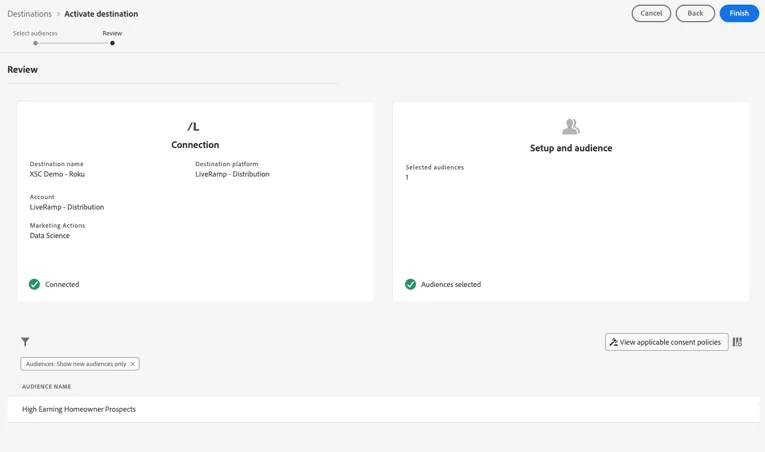
Now I’m able to reach customers on channels that only accept the RampID and ensure it’s the most relevant message given the updated information I’m storing against the unified customer profile in RTCDP.
Click on Destinations in the left-hand menu -> System view
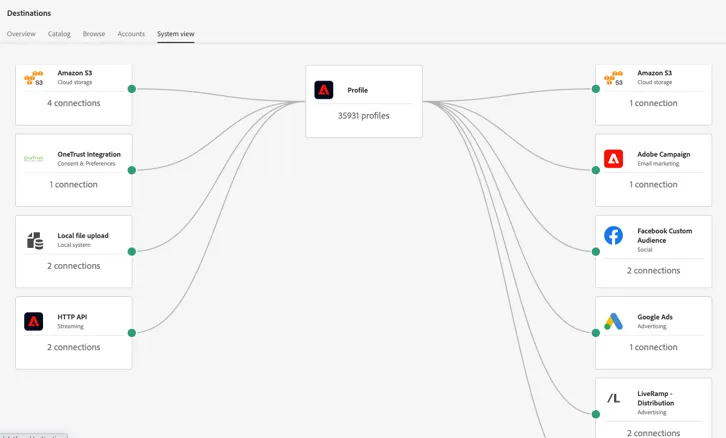
And like I mentioned above, the goal is to do this with other data partners as well so you can manage the full workflow in RTCDP for all audience expansion efforts
.