Partner Data: On-Site Personalization for Unknown Visitors
Before you will start this demo please read this article: Partner Data
This demo script walks through how to use existing DSN public project demo assets to speak to showcase on-site personalization for unknown visitors.
This demo is best used after you’ve laid out the core foundational framework of AEP (Sources, XDM, Identity Resolution, Governance, Profiles, Segmentation & Activation) of AEP.
IMS Org: Adobe Demo System Shared, sandbox: public-securfinancial
Make sure you are starting a new incognito session or have cookies cleanded up before the demo.
- The following workflow will showcase how customers can bring forward partner visitor recognition capabilities to:
- Qualify and message unknown visitors using partner data, in real-time, with edge segmentation.
- Deliver personalized experiences via Adobe Target, or personalization engine of choice, without authentication, or prior history.
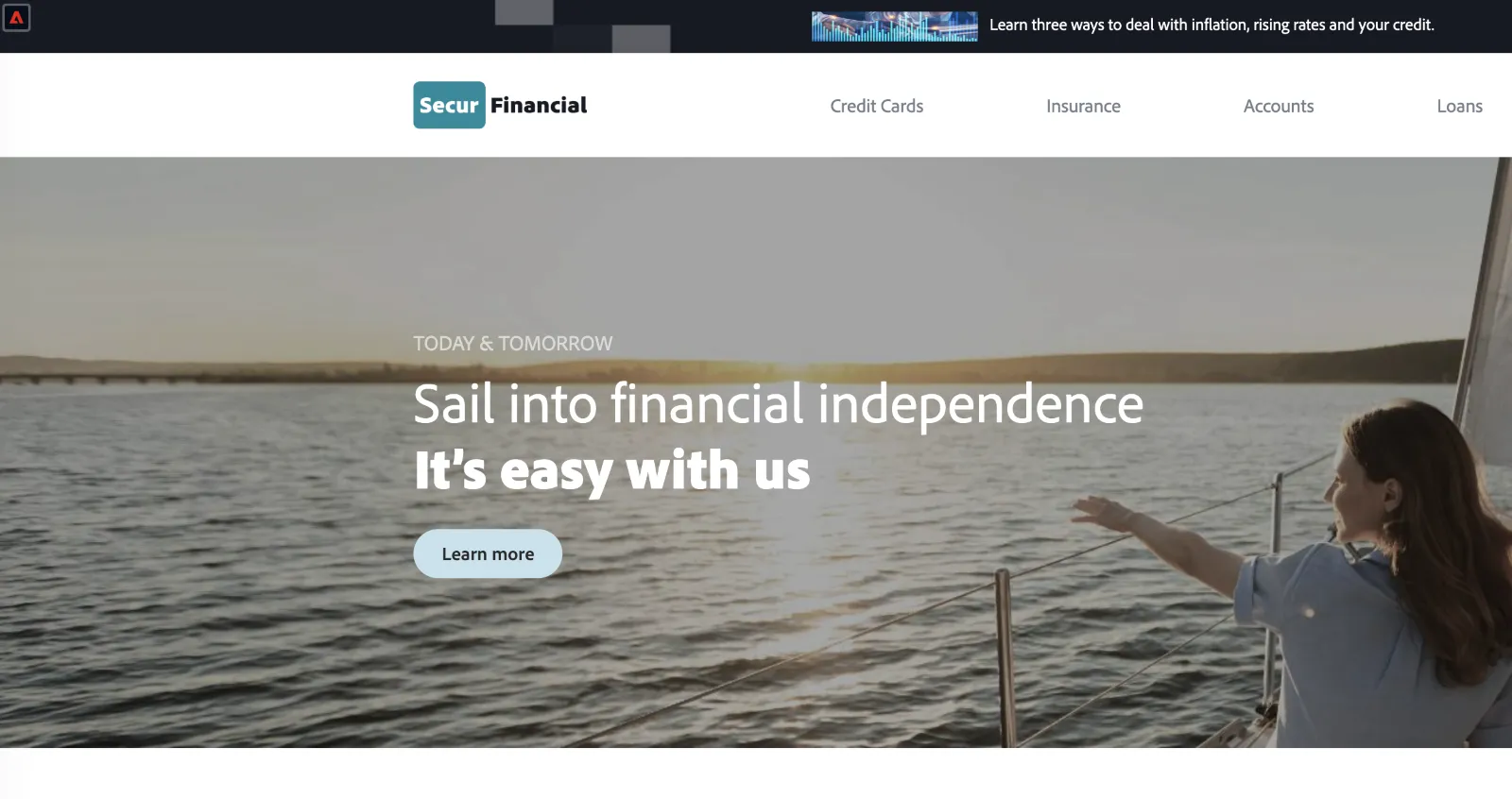
- To start, I’m going to pull up a customer website for a fake financial company, SecurFinancial. In this website, you can see a generic message that’s being shown to new visitors.
If I pull up the profile viewer, I can see that I don’t have any information on this visitor, only an ECID (or Adobe Experience Cloud ID) with no other data.
Visit the SecurFinancial home page: https://dsn.adobe.com/web/securfinancial2
Open the profile viewer panel. Demonstrate that this is an unknown visitor and we have only the ECID to identify this device.
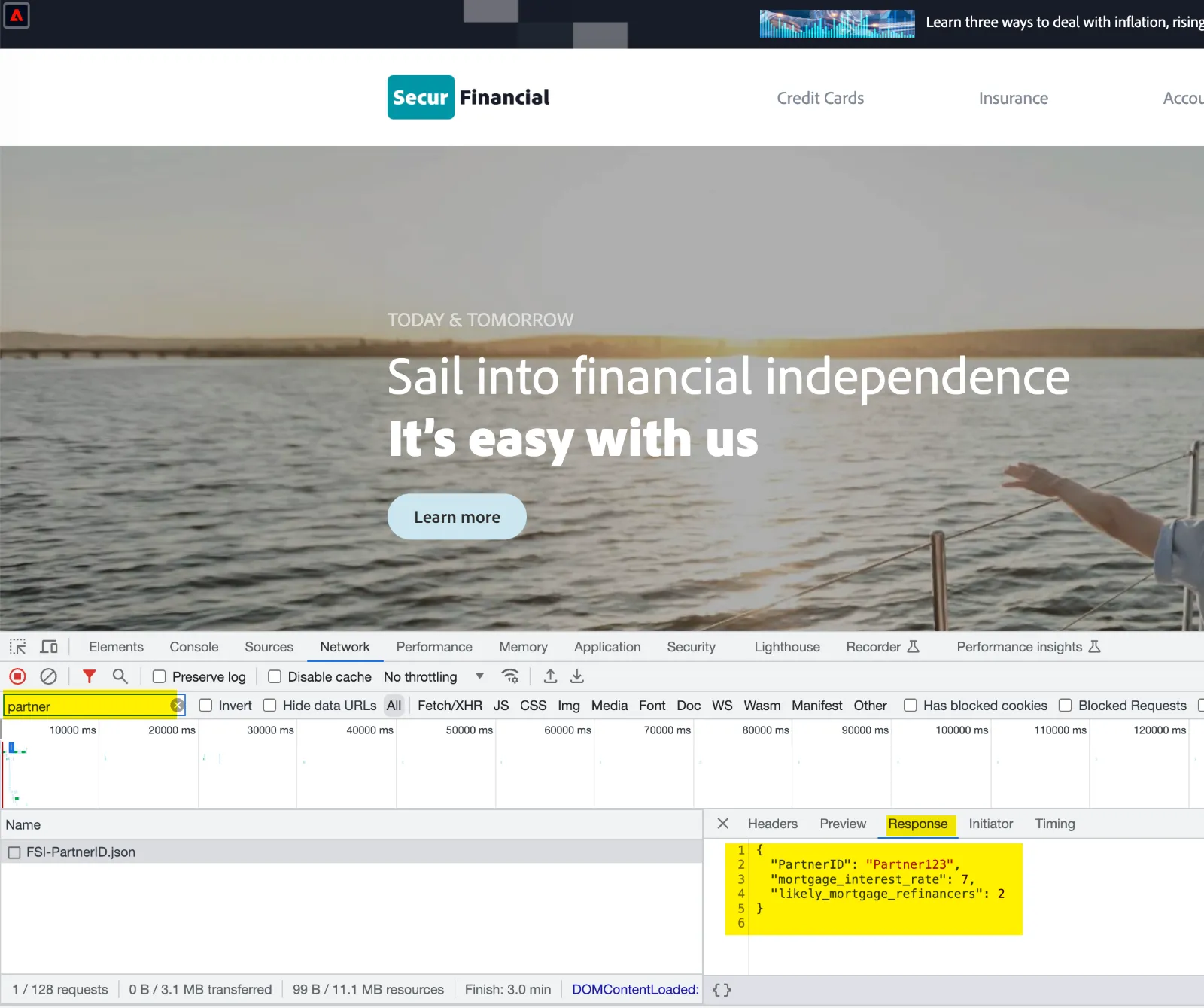
2. If I refresh the page and pull up (desired inspection tool of choice), you can see that a call is coming in from a Third-Party Partner. In this instance, this partner is returning their respective Partner ID along with a few attributes associated with this visitor that the partner has just identified using their own recognition technology.
- Refresh Page
- Pull up inspection tool to show partner data coming in
- Show partner data call
**Note: you will want to pull up the profile viewer or the network inspection panel to show the partner API call coming through. There are two ways to represent the partner API call:
(1) you can pull up the network inspection panel (right click, inspect) and filter by “partner” or
(2) you can pull up the profile viewer and click on the events tab. More detailed workflows are represented in the architecture tab of the profile viewer
In the partner API call, you should see either of the following (these are running at a 50/50 split):
- Mortgage attribute data (interest rate + refinance)
- Premium credit card data (presence of premium credit card)
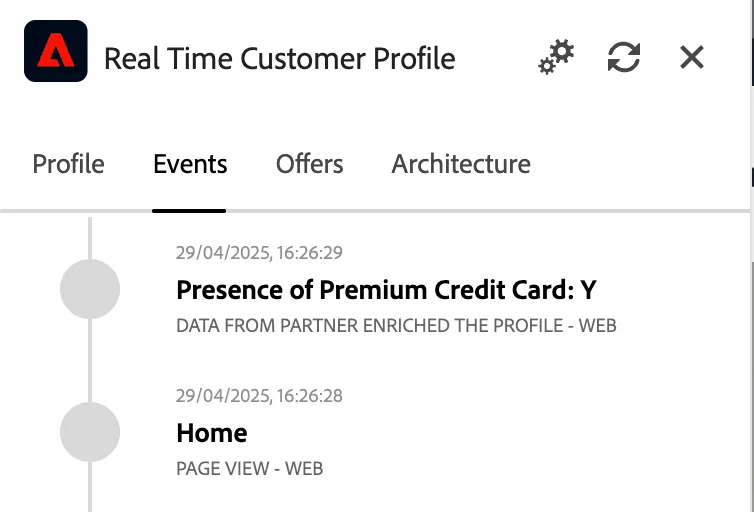
3. Adobe is able to ingest these attributes and segment these unknown visitors in real-time, using edge segmentation. This means that we are now able to qualify (or disqualify) unknown visitors and serve them more personalized experiences, without waiting for an authentication event or having them return in a different session.
- Refresh profile viewer
- Show segment qualification in profile viewer
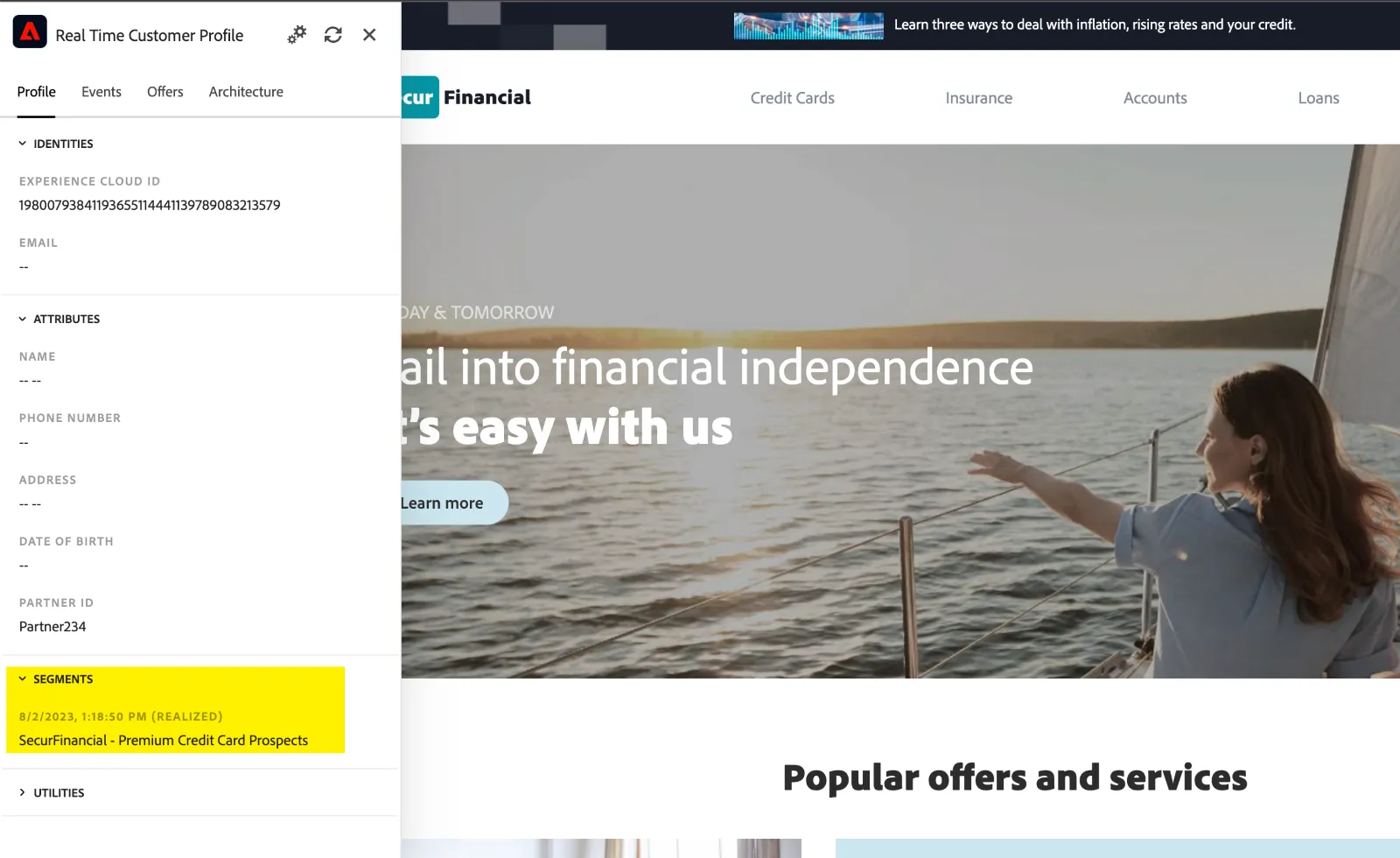
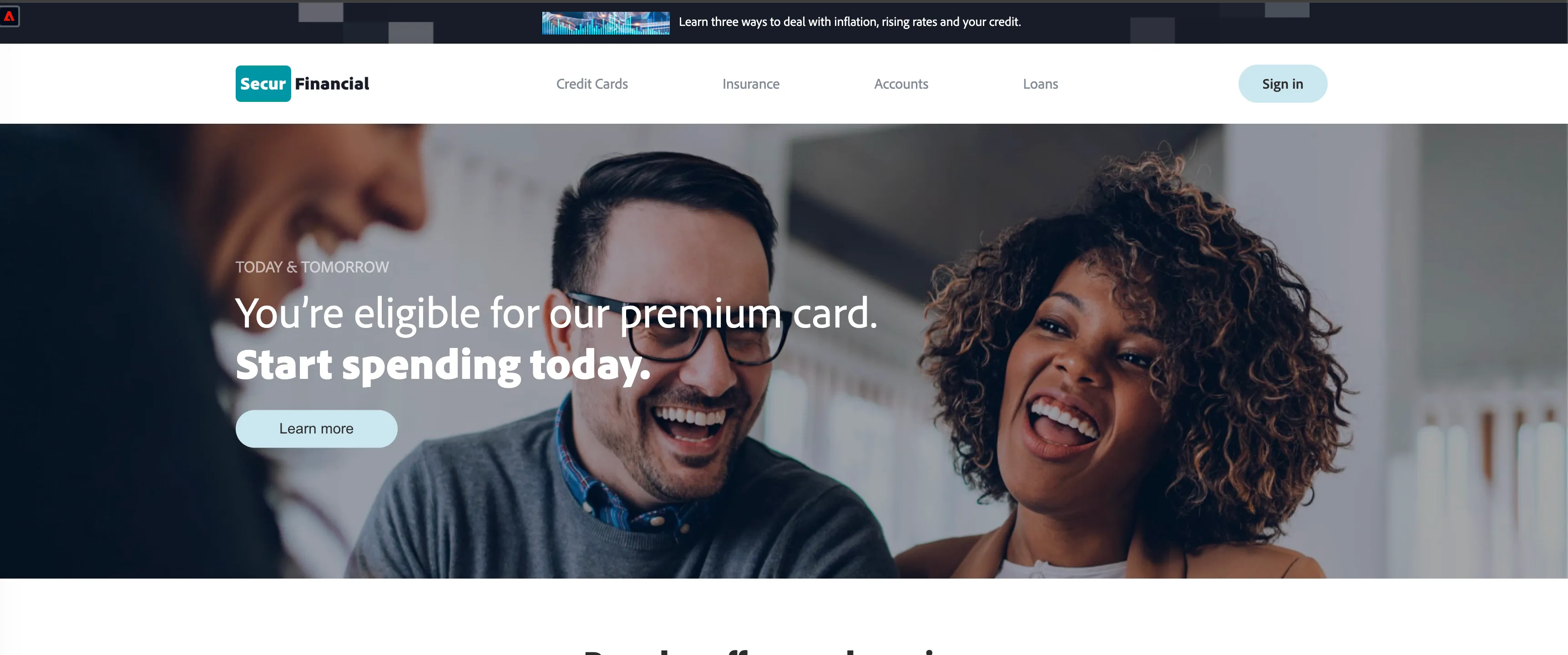
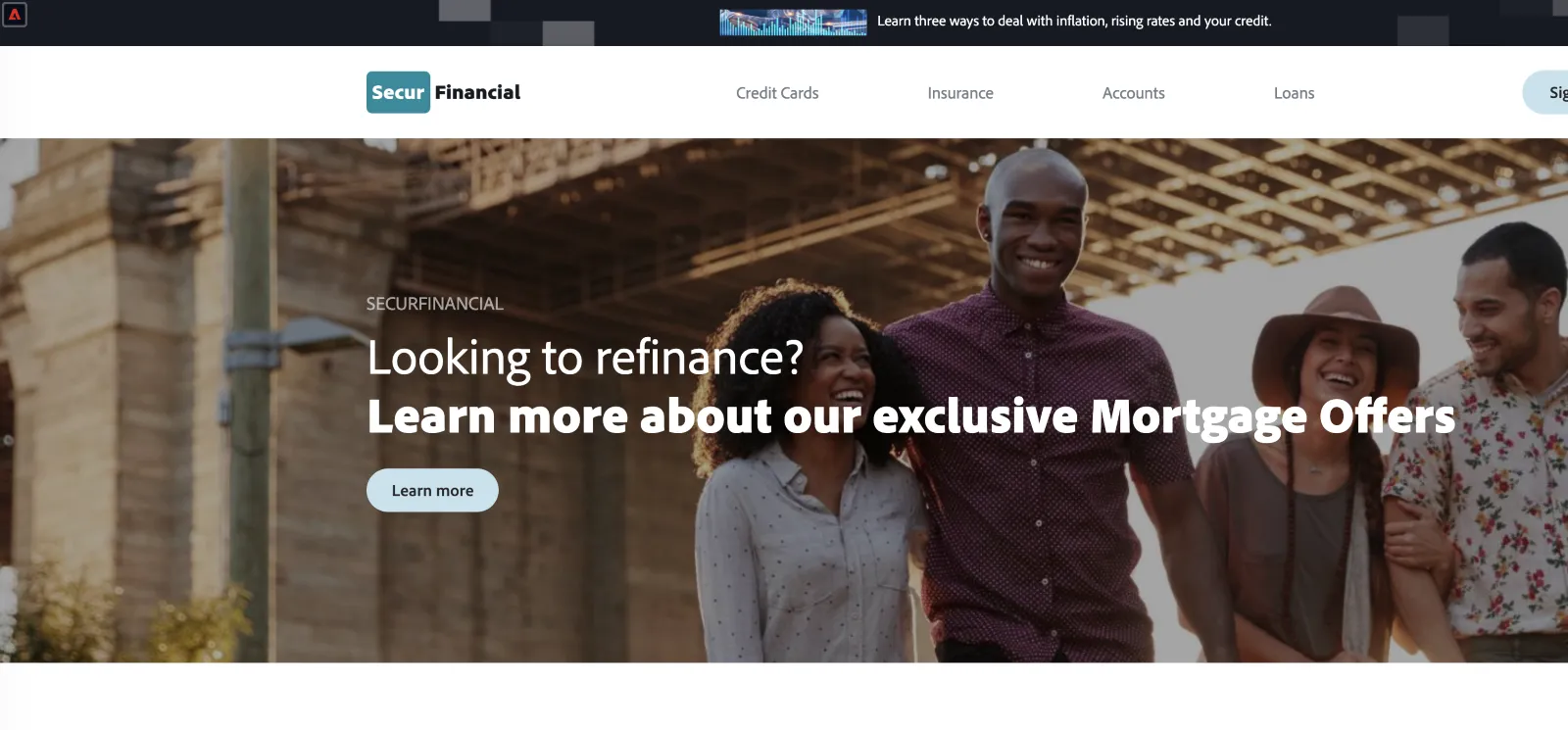
If I refresh the page again, you can see that we are now able to change this visitor’s experience in Adobe Target. We are able to reference the (insert partner data attributes) to show (either a credit card or mortgage) experience to this particular visitor in their current session. This enables brands to deliver a more personalized and relevant experience, even with little to no information on a given visitor.
**Note for Existing Target Customers that may already be leveraging this type of technology**
Please highlight the following enhanced capabilities that customers can unlock when executing these workflows in Real-Time CDP:
While you may already be doing this today in Adobe Target, there are a few key advantages to centralizing partner data ingestion, segmentation, and activation in Real-Time CDP:
- As a visitor continues to engage on site and hopefully returns to the site in the partner + target configuration alone each visit is treated independently, but with Real-Time CDP the profile and associated events + partner provided attributes persist over time, so the brand is able learn more and do a better job with ongoing personalization.
- With the governance capabilities with RTCDP, customers can identify, and track lineage of partner provided attributes, and decide where and how that information gets used.
- Lastly, we have a robust roadmap on Target and RTCDP integration. This is especially important as we look to centralize audiences into a single inventory and leveraged across all AEP apps.
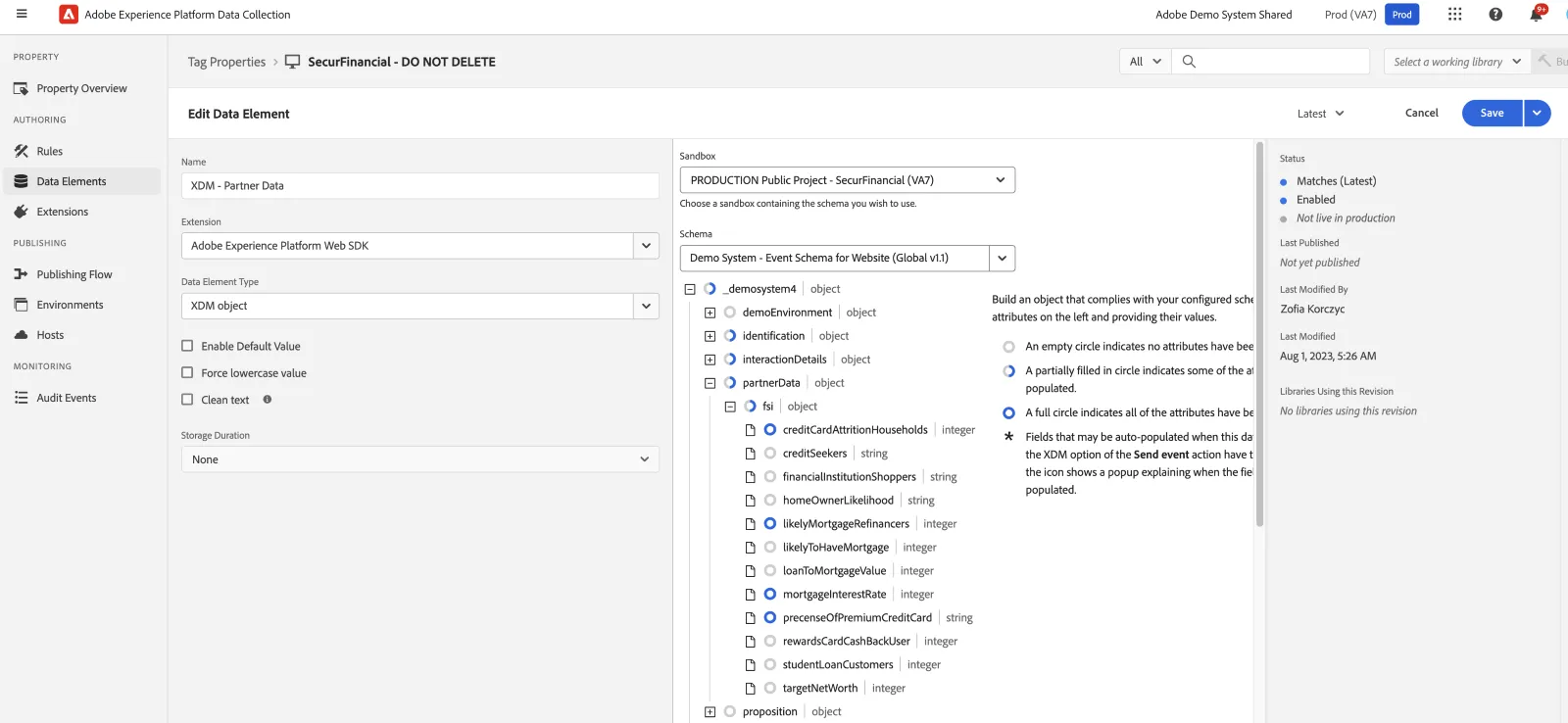
Behind the scenes, the Adobe WebSDK is capturing and routing this data, in-real time, from the partner and into Real-Time CDP
In here, you can see the specific elements that the partner is sending and we are able to capture.
- Navigate to Adobe Experience Platform Data Collection in Adobe Demo System Shared ims org
- Data Elements > XDM – Partner Data
If I click on rules, I see that I have a rule in place to send the respective partner data into Real-Time CDP once the page loads
Rules> Send Partner Data
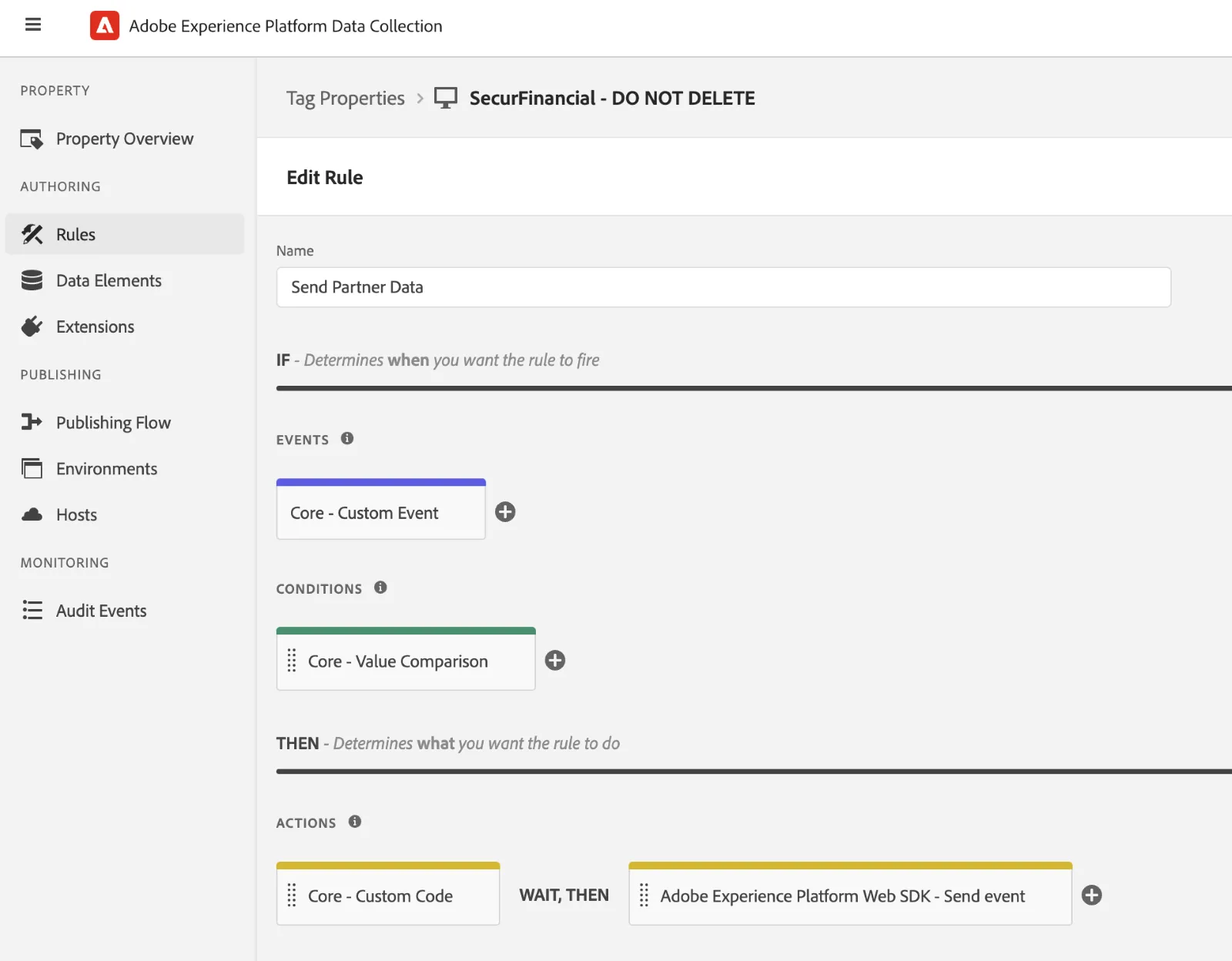
Here you can see we’re now capturing and aligning this partner data to a schema in Real-Time CDP. This is where you can edit and apply specific governance rules according to your usage rights you have with that particular partner.
**Note: No ability to edit governance rules in public projects, so you will either need to voice over, or navigate to the policy section in Real-Time CDP to showcase 3P labels**
You can see that we are also storing “PartnerID” in this schema. While this ID is not available for identity resolution, this identifier can be pulled forward into the customer profile by using computed attributes. This will allow you to bring forward the most recent partner provided ID to support future state off-site retargeting use cases or distribution back to customers own internal data stores.
Separately, once a customer authenticates, any data that is collected in the first party context will get written to the individual customer profile.
- Navigate to Adobe Experience Platform (PublicProject – SecurFinancial VA7)
- Schemas > Demo System Profile Schema for Website
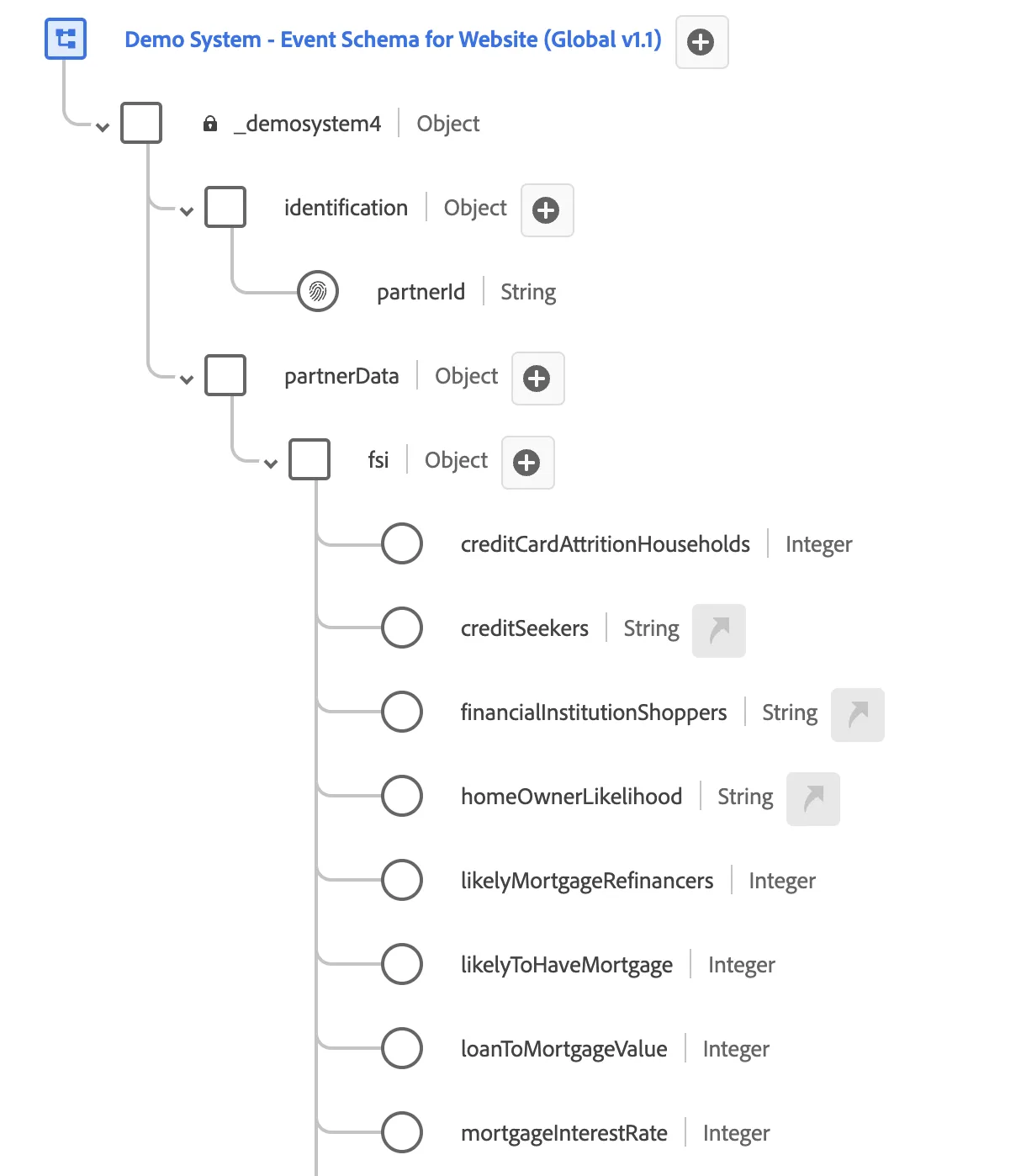
Once this data is ingested into Real-Time CDP, it is now available for segmentation. If I toggle over to my segmentation tool you can see how easy it is to create additional segments and activate them back to Target (or other personalization platform of choice).
Again, future state capabilities will support offsite retargeting of this data, whereby customers will now be able to activate these segments back to the respective partner for activation on other channels (i.e. paid media, email, etc…)
(optional: you can pull up either of the segments – Premium Credit Card Prospects or Mortgage Refinance and also show activation in the system to Target).
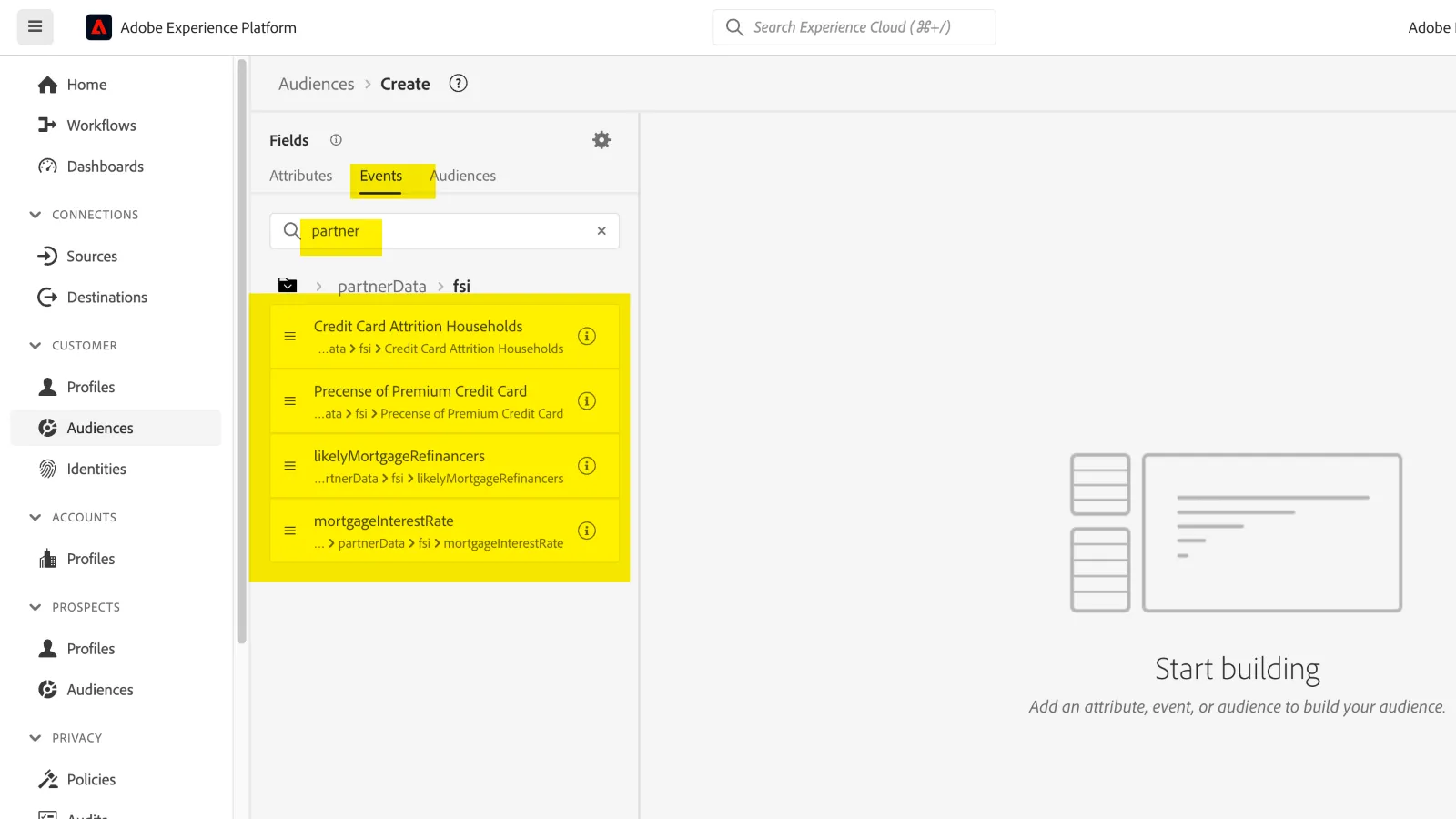
- Audiences
- Build Rule
- Events (search for Partner)
- Segmentation Logic:
Mortgage Refinance Segment:
mortgageinterestrate = 7.0% AND likelymortgagerefinancers = 2
Credit Card Upsell Motion - Premium Card:
Prescence of premium credit cards (value = Y) AND
Credit Card Attrition Households = 1 (Is a customer who often carries a zero balance)